React rich text editor quick start: run the trial and read form HTML
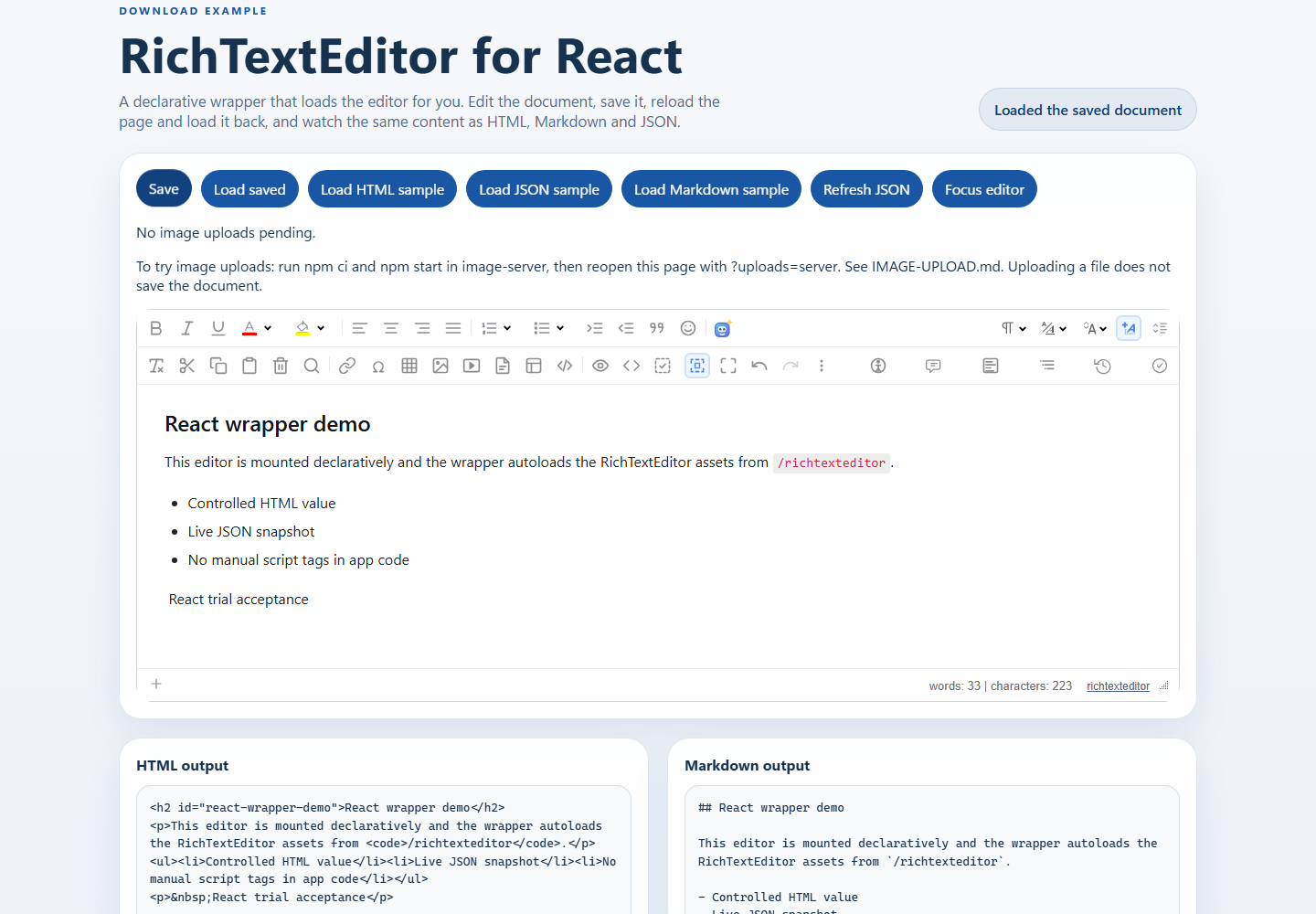
Run the downloaded React starter, verify editing and local saves, then adapt a small form without mixing ZIP and npm imports.
Start with the downloaded sample
Start with the downloaded sample
Download the React examples, extract the ZIP, and open a terminal in the folder containing package.json and package-lock.json. Use Node.js 22.12 or newer with npm; check the package engine requirements if npm reports a version mismatch. Do not double-click index.html. Keep the shipped lockfile and use npm ci to install its exact dependency set.
node --version
npm --version
# Open a terminal in the extracted folder containing package.json.
npm ci
npm run dev -- --host 127.0.0.1
Use the URL printed by Vite. The port can change if its default is busy. First prove that the unmodified sample works before adding your application code. The ZIP already includes src/RichTextEditor.jsx, src/richTextEditorBridge.js and public/richtexteditor.
Check the first working loop
Type in the editor and confirm that HTML, Markdown and JSON output update. Click Save, reload, then click Load saved. This saves only in this browser’s localStorage, not in a database or shared account. Changing the hostname or port changes the storage origin. Keep a copy elsewhere if the draft matters.
Read the current HTML in a form
In a separate copy of the extracted sample, replace src/App.jsx with this example. It imports the local ZIP wrapper, waits for readiness and reads current HTML on submit. React renders the preview as text. A later edit clears the old output, without remounting the editor. This example sends no request and claims no server save.
import { useRef, useState } from "react";
import RichTextEditor from "./RichTextEditor";

const config = { toolbar: "full", height: "320px" };
export default function App() {
  const editorRef = useRef(null);
  const [ready, setReady] = useState(false);
  const [error, setError] = useState("");
  const [html, setHtml] = useState("");
  function inspect(event) {
    event.preventDefault();
    if (!ready || !editorRef.current) return;
    setHtml(editorRef.current.getHTMLCode());
  }
  return (
    <main style={{ maxWidth: 960, margin: "24px auto", padding: "0 16px" }}>
      <h1>React editor form</h1>
      <form onSubmit={inspect}>
        <div style={{ maxWidth: "100%", overflowX: "auto" }}>
          <RichTextEditor
            ref={editorRef}
            defaultValue="<p>Write a short note.</p>"
            config={config}
            onReady={() => setReady(true)}
            onError={() => {
              setReady(false);
              setError("Editor assets could not load. Check /richtexteditor, then reload.");
            }}
            onChange={() => setHtml("")}
          />
        </div>
        {error && <p role="alert">{error}</p>}
        <button type="submit" disabled={!ready} style={{ minHeight: 44, padding: "8px 16px" }}>
          Inspect HTML
        </button>
        <p>This example reads HTML only. It does not save to a server.</p>
        <pre aria-label="Current HTML" style={{ whiteSpace: "pre-wrap", overflowWrap: "anywhere" }}>{html}</pre>
      </form>
    </main>
  );
}
Keep ZIP and npm integration separate
The local import ./RichTextEditor belongs to the download sample. It is not the named npm export from @richscripts/richtexteditor/react. Follow the npm integration docs when adding that package to an existing application; do not combine both wrappers or load script tags a second time. For asset failures, check that /richtexteditor/rte.js, rte_theme_default.css and plugins/all_plugins.js return files rather than your SPA’s index.html. When deploying under a subpath, coordinate assetBasePath and the actual public asset location.
Build and connect your application
npm run build
npm run preview -- --host 127.0.0.1
After the development loop works, build the sample and test the preview URL printed in the terminal. Vite preview is a local acceptance tool, not a production hosting service. A real save endpoint must authenticate the record, validate and sanitize HTML, and return an acknowledged result. Treat image upload separately: uploading a file does not save the document. See IMAGE-UPLOAD.md inside the ZIP before enabling the optional image-server. Never put provider or storage secrets in client code.