在 ASP.NET MVC 5 中为富文本编辑器添加图片库
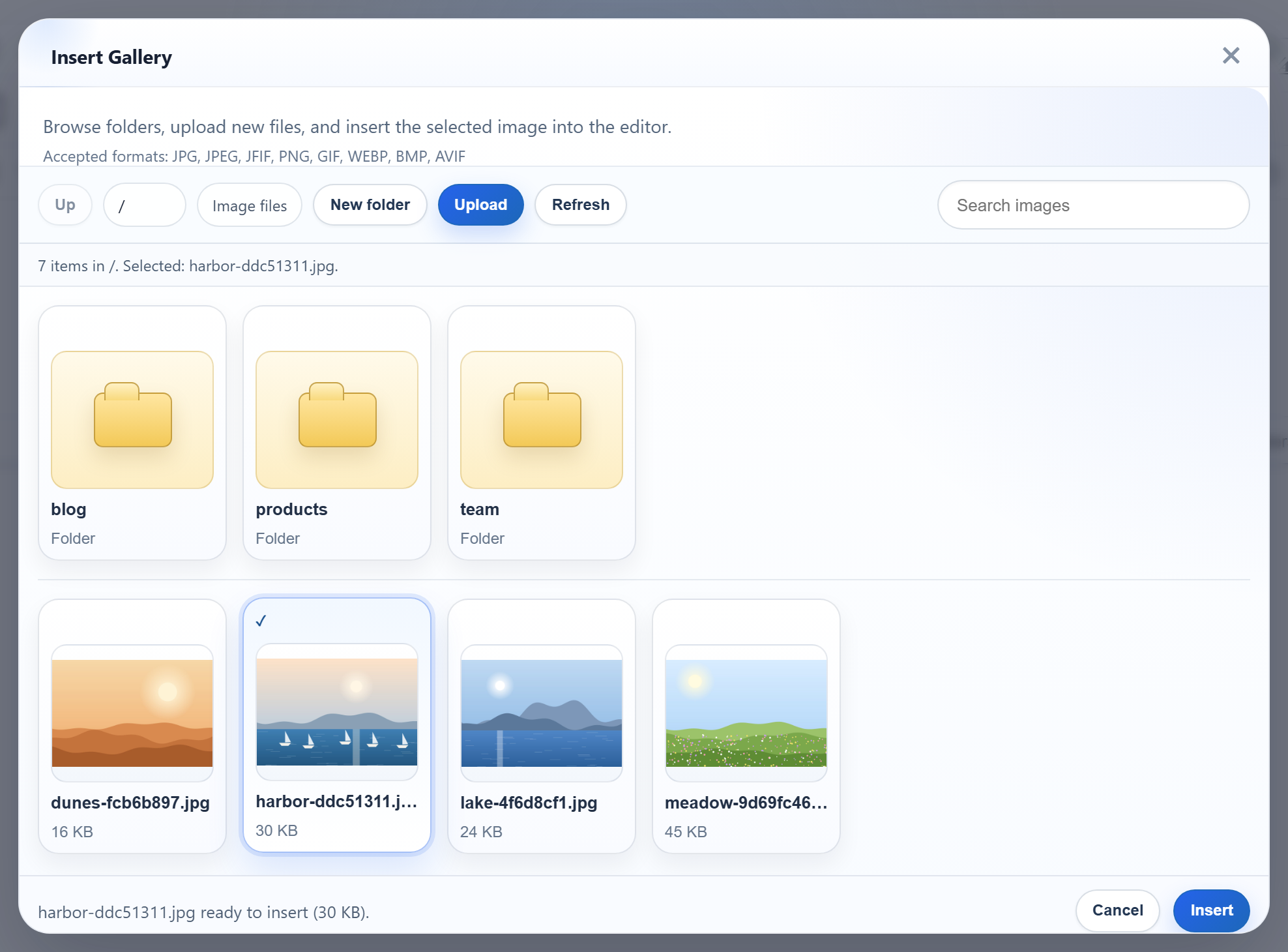
RichTextEditor 的 Insert Gallery 对话框会列出服务器上的图片、打开文件夹,并上传到当前打开的文件夹。在 ASP.NET MVC 5 中,它需要一个为 GET /rte/gallery?folder=... 返回 JSON 的控制器操作方法。有两个 MVC 默认行为会造成阻碍:Json() 拒绝 GET 请求,而请求验证会把奇怪的文件夹名称变成 HTML 500 页面。本页介绍同时处理好这两点的操作方法。
启用图片库
<script>
    var editor = new RichTextEditor("#editor", {
        toolbar: "full",
        galleryEndpoint: "@Url.Content("~/rte/gallery")",
        maxUploadFileSize: 4000000   // same limit as the server
    });
</script>
galleryEndpoint 是对话框请求的 URL。maxUploadFileSize 重复了服务器 4,000,000 字节的限制,使对话框在发送之前就拒绝过大的文件。路由 rte/gallery 指向 RteController 的 Gallery 操作方法。它在 Global.asax.cs 中设置,与MVC 5 中的图片上传里的上传路由放在一起。
操作方法
[HttpGet]
public ActionResult Gallery(string folder)
{
    try
    {
        return JsonStatus(200, RteFiles.Listing(HttpContext, folder));
    }
    catch (RteException ex)
    {
        return JsonStatus(ex.Status, new { error = ex.Message });
    }
}
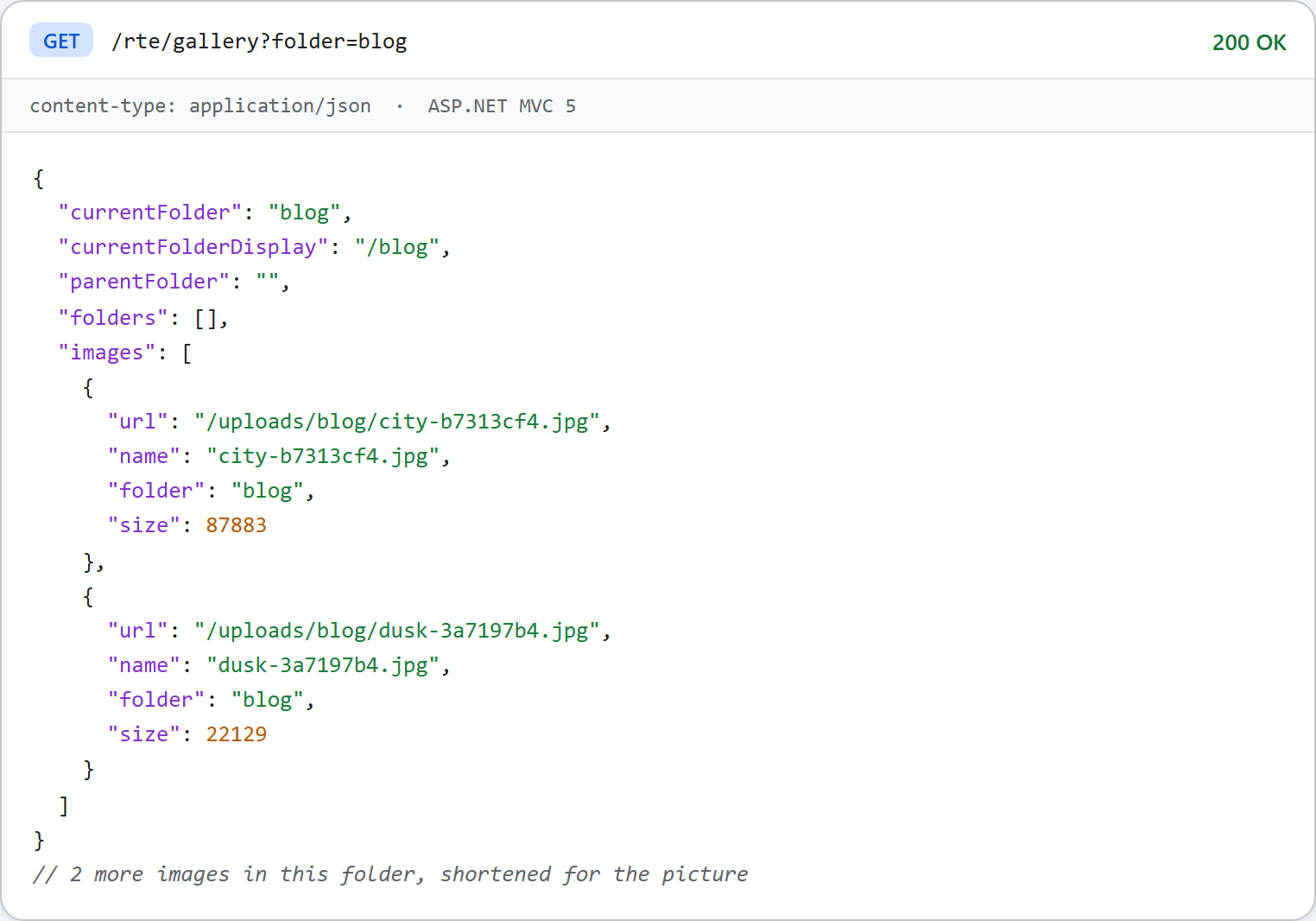
RteFiles.Listing 在 uploads/ 内解析虚拟文件夹。它返回子文件夹以及 .jpg、.jpeg、.png、.gif 和 .webp 文件,按名称排序:
public static object Listing(HttpContextBase context, string folder)
{
    folder = folder ?? "";
    StorageRoot root = GetRoot(context);
    string dir = ResolveFolder(root, folder);

    List<string> folderNames = new List<string>();
    foreach (string path in Directory.GetDirectories(dir))
    {
        string name = Path.GetFileName(path);
        // Skip anything the dialog could not open again (hidden, odd names).
        if (IsValidName(name) && (File.GetAttributes(path) & FileAttributes.Hidden) == 0)
            folderNames.Add(name);
    }
    folderNames.Sort(CompareNames);

    List<FileInfo> files = new List<FileInfo>();
    foreach (FileInfo file in new DirectoryInfo(dir).GetFiles())
    {
        if (Array.IndexOf(ImageExtensions, file.Extension.ToLowerInvariant()) >= 0
            && (file.Attributes & FileAttributes.Hidden) == 0)
            files.Add(file);
    }
    files.Sort(delegate (FileInfo a, FileInfo b) { return CompareNames(a.Name, b.Name); });

    List<object> folders = new List<object>();
    foreach (string name in folderNames)
        folders.Add(new { folder = Combine(folder, name), name = name });

    List<object> images = new List<object>();
    foreach (FileInfo file in files)
        images.Add(new { url = UrlFor(root, folder, file.Name), name = file.Name, folder = folder, size = file.Length });

    string parent = null;
    if (folder.Length > 0)
    {
        int slash = folder.LastIndexOf('/');
        parent = slash < 0 ? "" : folder.Substring(0, slash);
    }

    return new
    {
        currentFolder = folder,
        currentFolderDisplay = "/" + folder,
        parentFolder = parent,
        folders = folders,
        images = images
    };
}
Json() 与 GET
Json(data) 默认使用 JsonRequestBehavior.DenyGet。我们用一个临时操作方法试过:GET 请求返回 HTTP 500,消息为 "This request has been blocked because sensitive information could be disclosed to third party web sites when this is used in a GET request. To allow GET requests, set JsonRequestBehavior to AllowGet."。图片库必须使用 GET,因此控制器在同一个地方构造它的 JsonResult:
// Json() refuses GET unless told otherwise (JsonRequestBehavior.DenyGet is the default)
// and caps output at 2,097,152 characters; both are lifted here. Property names are
// written as declared, so the anonymous objects in RteFiles produce camelCase JSON.
JsonResult JsonStatus(int status, object data)
{
    Response.StatusCode = status;
    // Without this, IIS replaces 4xx bodies with its own error page for remote users.
    Response.TrySkipIisCustomErrors = true;
    // Forms authentication would turn a 401 into a 302 to the login page; keep the 401.
    Response.SuppressFormsAuthenticationRedirect = true;
    Response.Cache.SetCacheability(HttpCacheability.NoCache);
    Response.Cache.SetNoStore();
    return new JsonResult
    {
        Data = data,
        JsonRequestBehavior = JsonRequestBehavior.AllowGet,
        MaxJsonLength = int.MaxValue
    };
}AllowGet:MVC 的消息指出了风险所在,即其他站点读取 GET 响应。这里的响应始终是对象,绝不是顶层数组,而且只列出对话框本来就会显示的内容。如果这个列表是私有的,请把路由放在登录之后,参见下文的每个用户的文件夹。MaxJsonLength:JsonResult使用JavaScriptSerializer。根据 MVC 文档,值为 null 时使用序列化程序的默认值 2,097,152 个字符,包含数千张图片的文件夹可能会超过这个值。我们没有实测这个限制。JavaScriptSerializer按声明的原样输出名称。RteFiles中的匿名对象使用 camelCase,因此无需任何设置,JSON 就与对话框期望的格式一致。TrySkipIisCustomErrors防止 IIS 为远程访问者把 4xx 响应体替换成它自己的错误页面(在errorMode="Custom"时)。添加每个用户的文件夹后,SuppressFormsAuthenticationRedirect就会变得重要。
[ValidateInput(false)] 与文件夹值
MVC 在绑定 string folder 时会运行 ASP.NET 请求验证。为了测试,我们从控制器上删除了 [ValidateInput(false)]。此时 GET /rte/gallery?folder=<b> 在操作方法运行之前就返回了 HTML 500("A potentially dangerous Request.QueryString value was detected from the client")。加上这个特性后,该值会交给只接受普通文件夹名称的 RteFiles,响应为 400 {"error":"Invalid folder."}。在这里关闭验证是安全的,因为请求中的任何内容不通过这些规则就不会被使用。
图片 URL
每张图片的 url 都是 /uploads/<folder>/<file>,用 VirtualPathUtility.ToAbsolute 构造,由 IIS 作为静态文件提供。MVC 路由不会造成干扰:RouteExistingFiles 默认为 false,因此 /uploads/ 下的已有文件、/rte-files.js 和编辑器的 /richtexteditor/ 文件夹都会绕过路由。文件夹名称可以包含空格和非 ASCII 字母,路径的每一段都经过百分号编码。IIS Express 没有 .webp 的 MIME 类型,因此示例的 web.config 添加了一个。没有它,.webp 图片虽然会被列出,但其 URL 会返回 404.3。
测试
用 run.ps1 启动本指南的示例项目(端口 5402)。用对话框的 New folder 按钮创建一个 team 文件夹,然后执行:
curl "http://localhost:5402/rte/gallery?folder=team"
{"currentFolder":"team","currentFolderDisplay":"/team","parentFolder":"","folders":[],"images":[]}

curl "http://localhost:5402/rte/gallery?folder=..%2F"
{"error":"Invalid folder."}
先是 HTTP 200,然后是 HTTP 400。在浏览器中,Insert Gallery 会显示 uploads/ 中的文件夹和图片。
其他平台的同一指南
JavaScript · Next.js · PHP · ASP.NET Core · Razor Pages · Blazor · Web Forms