Add an image gallery to a rich text editor in ASP.NET MVC 5
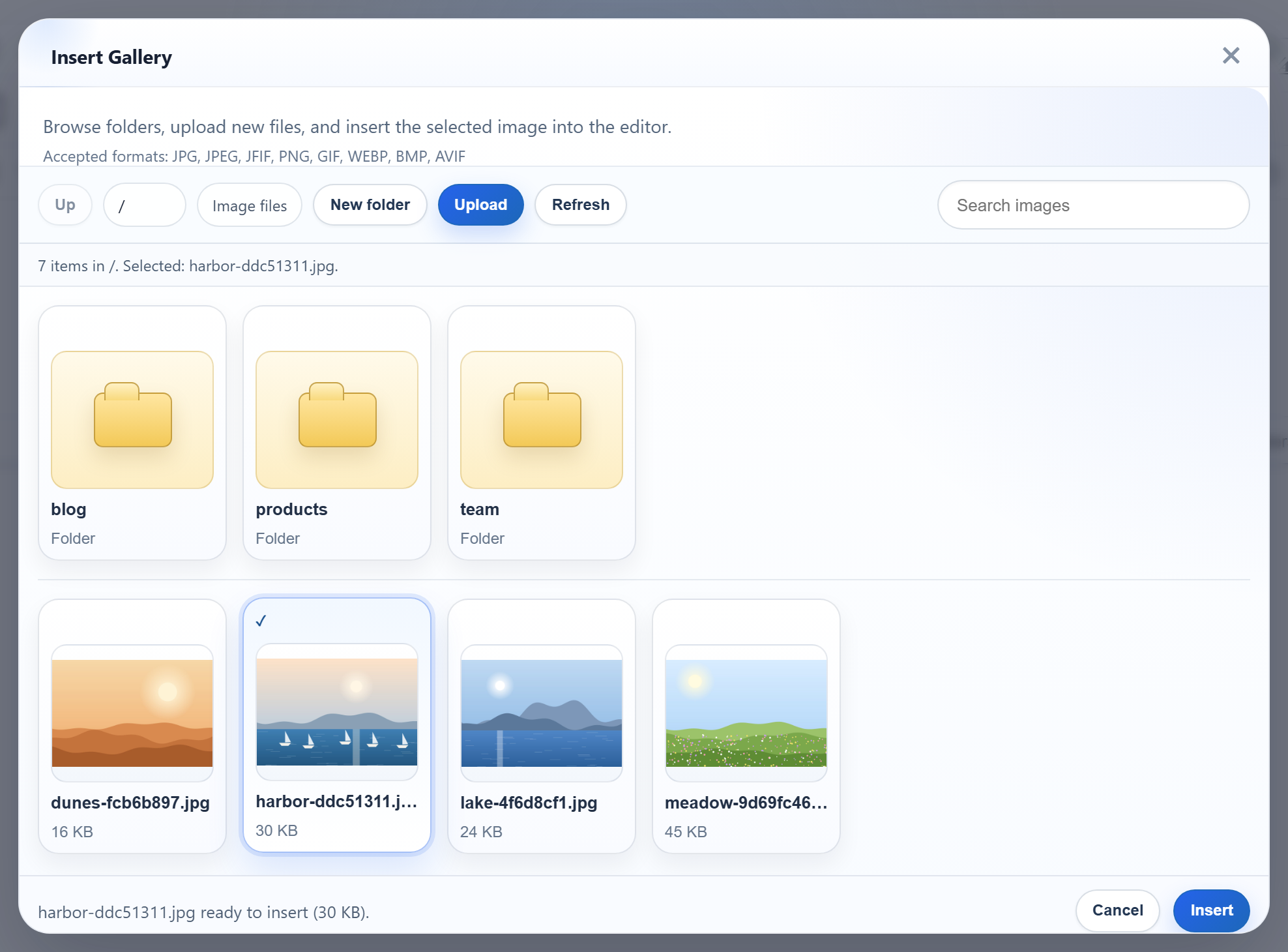
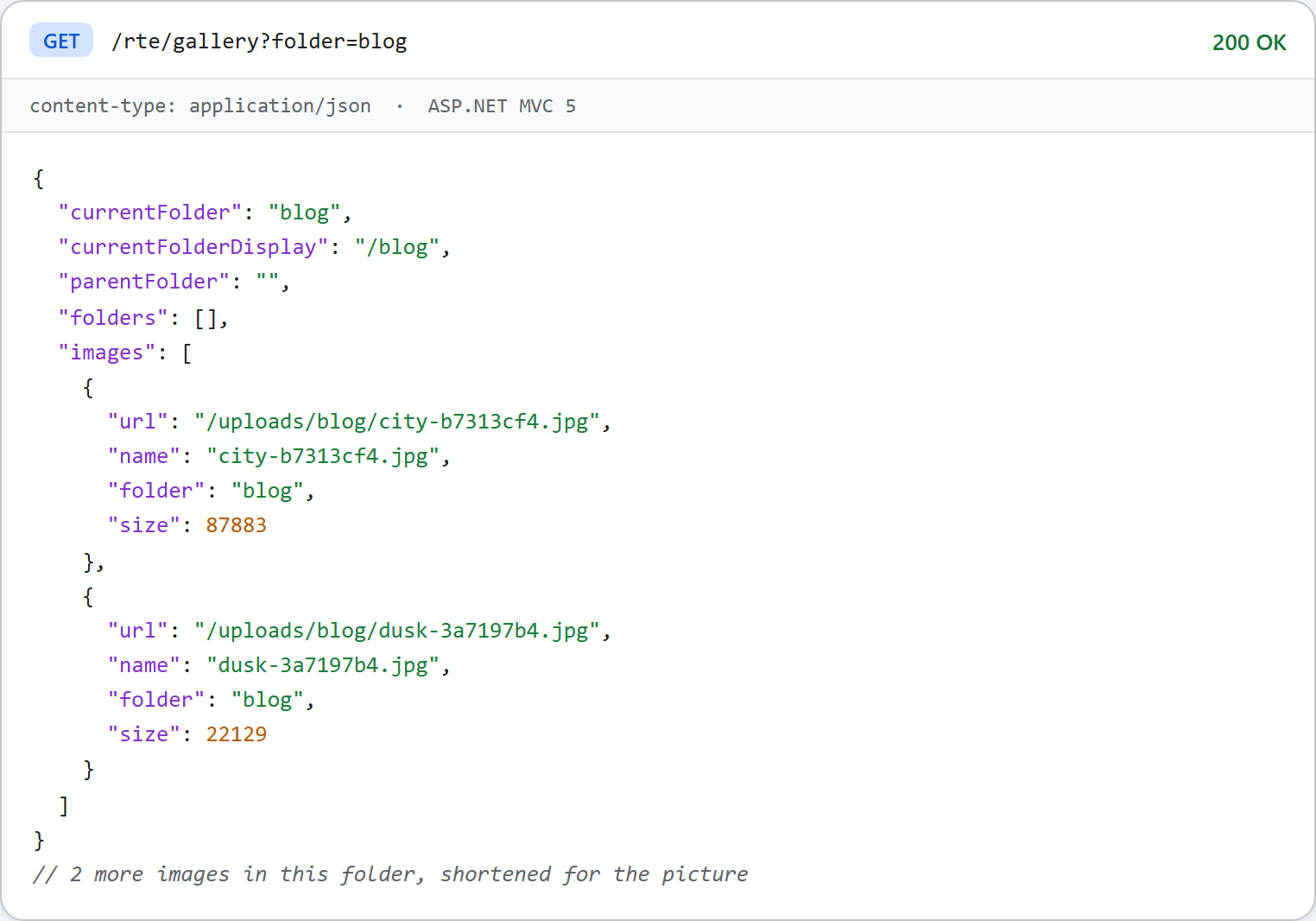
The Insert Gallery dialog in RichTextEditor lists the images on your server, opens folders and uploads into the folder that is open. On ASP.NET MVC 5 it needs one controller action that returns JSON for GET /rte/gallery?folder=.... Two MVC defaults get in the way: Json() refuses GET requests, and request validation turns odd folder names into HTML 500 pages. This page shows the action with both handled.
Turn the gallery on
<script>
    var editor = new RichTextEditor("#editor", {
        toolbar: "full",
        galleryEndpoint: "@Url.Content("~/rte/gallery")",
        maxUploadFileSize: 4000000   // same limit as the server
    });
</script>
galleryEndpoint is the URL the dialog asks. maxUploadFileSize repeats the server's 4,000,000-byte limit, so the dialog refuses an oversized file before sending it. The route rte/gallery goes to RteController's Gallery action. It is set up in Global.asax.cs, next to the upload route from image upload in MVC 5.
The action
[HttpGet]
public ActionResult Gallery(string folder)
{
    try
    {
        return JsonStatus(200, RteFiles.Listing(HttpContext, folder));
    }
    catch (RteException ex)
    {
        return JsonStatus(ex.Status, new { error = ex.Message });
    }
}
RteFiles.Listing resolves the virtual folder inside uploads/. It returns the subfolders and the .jpg, .jpeg, .png, .gif and .webp files, sorted by name:
public static object Listing(HttpContextBase context, string folder)
{
    folder = folder ?? "";
    StorageRoot root = GetRoot(context);
    string dir = ResolveFolder(root, folder);

    List<string> folderNames = new List<string>();
    foreach (string path in Directory.GetDirectories(dir))
    {
        string name = Path.GetFileName(path);
        // Skip anything the dialog could not open again (hidden, odd names).
        if (IsValidName(name) && (File.GetAttributes(path) & FileAttributes.Hidden) == 0)
            folderNames.Add(name);
    }
    folderNames.Sort(CompareNames);

    List<FileInfo> files = new List<FileInfo>();
    foreach (FileInfo file in new DirectoryInfo(dir).GetFiles())
    {
        if (Array.IndexOf(ImageExtensions, file.Extension.ToLowerInvariant()) >= 0
            && (file.Attributes & FileAttributes.Hidden) == 0)
            files.Add(file);
    }
    files.Sort(delegate (FileInfo a, FileInfo b) { return CompareNames(a.Name, b.Name); });

    List<object> folders = new List<object>();
    foreach (string name in folderNames)
        folders.Add(new { folder = Combine(folder, name), name = name });

    List<object> images = new List<object>();
    foreach (FileInfo file in files)
        images.Add(new { url = UrlFor(root, folder, file.Name), name = file.Name, folder = folder, size = file.Length });

    string parent = null;
    if (folder.Length > 0)
    {
        int slash = folder.LastIndexOf('/');
        parent = slash < 0 ? "" : folder.Substring(0, slash);
    }

    return new
    {
        currentFolder = folder,
        currentFolderDisplay = "/" + folder,
        parentFolder = parent,
        folders = folders,
        images = images
    };
}
Json() and GET
Json(data) defaults to JsonRequestBehavior.DenyGet. We tried it with a throwaway action. A GET returned HTTP 500 with "This request has been blocked because sensitive information could be disclosed to third party web sites when this is used in a GET request. To allow GET requests, set JsonRequestBehavior to AllowGet." The gallery has to be a GET, so the controller builds its JsonResult in one place:
// Json() refuses GET unless told otherwise (JsonRequestBehavior.DenyGet is the default)
// and caps output at 2,097,152 characters; both are lifted here. Property names are
// written as declared, so the anonymous objects in RteFiles produce camelCase JSON.
JsonResult JsonStatus(int status, object data)
{
    Response.StatusCode = status;
    // Without this, IIS replaces 4xx bodies with its own error page for remote users.
    Response.TrySkipIisCustomErrors = true;
    // Forms authentication would turn a 401 into a 302 to the login page; keep the 401.
    Response.SuppressFormsAuthenticationRedirect = true;
    Response.Cache.SetCacheability(HttpCacheability.NoCache);
    Response.Cache.SetNoStore();
    return new JsonResult
    {
        Data = data,
        JsonRequestBehavior = JsonRequestBehavior.AllowGet,
        MaxJsonLength = int.MaxValue
    };
}AllowGet: MVC's message names the risk, which is another site reading a GET response. The answer here is always an object, never a top-level array. It lists only what the dialog shows anyway. If that list is private, put the route behind sign-in, as in per-user folders below.MaxJsonLength:JsonResultusesJavaScriptSerializer. Per MVC's documentation, a null value means the serializer's 2,097,152-character default, which a folder with thousands of images could pass. We did not measure that limit.JavaScriptSerializerwrites names exactly as declared. The anonymous objects inRteFilesuse camelCase, so the JSON matches what the dialog expects without any settings.TrySkipIisCustomErrorsstops IIS from replacing a 4xx body with its own error page for remote visitors (witherrorMode="Custom").SuppressFormsAuthenticationRedirectmatters once you add per-user folders.
[ValidateInput(false)] and the folder value
MVC runs ASP.NET request validation while it binds string folder. We removed [ValidateInput(false)] from the controller for a test. GET /rte/gallery?folder=<b> then returned an HTML 500 ("A potentially dangerous Request.QueryString value was detected from the client") before the action ran. With the attribute, the value reaches RteFiles, which only accepts plain folder names, and the answer is 400 {"error":"Invalid folder."}. Turning validation off is safe here because nothing from the request is used without passing those rules.
The image URLs
Each image's url is /uploads/<folder>/<file>, built with VirtualPathUtility.ToAbsolute, and IIS serves it as a static file. MVC routing does not get in the way: RouteExistingFiles is false by default, so existing files under /uploads/, /rte-files.js and the editor's /richtexteditor/ folder bypass the routes. Folder names may contain spaces and non-ASCII letters, and each path segment is percent-encoded. IIS Express has no .webp MIME type, so the sample's web.config adds one. Without it a .webp image is listed but its URL answers 404.3.
Test it
Start the sample project for this guide with run.ps1 (port 5402). Create a team folder with the dialog's New folder button, then:
curl "http://localhost:5402/rte/gallery?folder=team"
{"currentFolder":"team","currentFolderDisplay":"/team","parentFolder":"","folders":[],"images":[]}

curl "http://localhost:5402/rte/gallery?folder=..%2F"
{"error":"Invalid folder."}
HTTP 200, then HTTP 400. In the browser, Insert Gallery shows the folders and images in uploads/.
The same guide for other platforms
JavaScript · Next.js · PHP · ASP.NET Core · Razor Pages · Blazor · Web Forms