在 Blazor 中从富文本编辑器上传图片
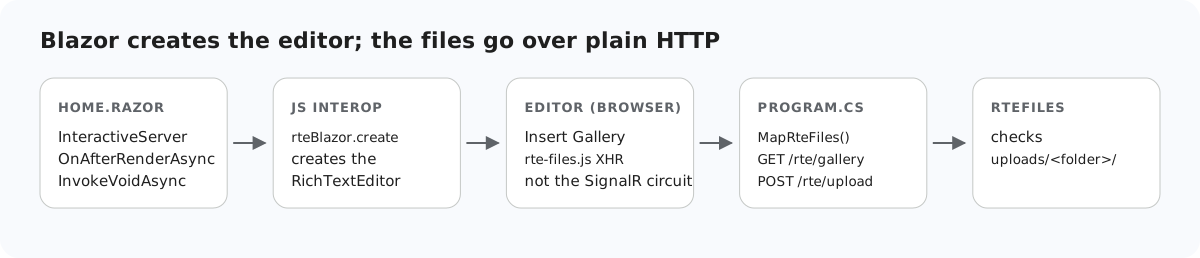
在 Blazor Server 中,很容易想到让所有操作都经过组件:线路(circuit)已经连接好,C# 代码也近在手边。但对于编辑器的图片上传,这条路走不通,而原因是 Blazor 特有的。本页说明为什么图片要发送到同一应用中的普通 HTTP 端点、这些端点如何与 MapRazorComponents 并存,以及 Blazor 模板中的防伪造中间件会对它们产生什么影响。
为什么不走线路
- 编辑器向 URL 发送 POST 请求。拖放、粘贴、Insert Image 对话框和图片库的 Upload 按钮,都会通过
rte-files.js向/rte/upload发送multipart/form-dataXHR。Razor 组件没有可以接收 POST 的 URL。 - 线路的消息大小限制为 32 KB。默认情况下,通过 SignalR 从浏览器发往服务器的消息限制为 32 KB,JS 互操作的返回结果也包括在内。我们通过
InvokeAsync<string>以字符串形式返回编辑器的 HTML:20,000 个字符能够到达,40,000 个字符则导致线路关闭,并提示 "Connection closed with an error"。通过互操作传递图片字节也会碰到同样的限制。Blazor 自带的<InputFile>通过流式传输绕开了这个限制,但编辑器并不使用InputFile。
因此,组件只负责创建编辑器(做法见在 Blazor 中为富文本编辑器添加图片库),文件则像在其他任何 ASP.NET Core 应用中一样,通过 HTTP 传输。
Program.cs
var builder = WebApplication.CreateBuilder(args);
builder.Services.AddRazorComponents().AddInteractiveServerComponents();
var app = builder.Build();

app.UseStaticFiles();
app.UseRteStaticFiles();   // /uploads, /richtexteditor, /rte-files.js
app.UseAntiforgery();      // Blazor's own forms; the /rte endpoints opt out (RteEndpoints.cs)

app.MapRteFiles();         // GET+POST /rte/gallery, POST /rte/upload
app.MapRazorComponents<App>().AddInteractiveServerRenderMode();

app.Run();
MapRteFiles() 映射三个 Minimal API 端点:GET 和 POST /rte/gallery,以及 POST /rte/upload。UseRteStaticFiles() 在 /uploads 下提供已保存的图片,在 /richtexteditor 下提供编辑器,并提供 rte-files.js。这些都和线路运行在同一个进程中,因此端点可以使用相同的服务和相同的登录状态。
模板中的防伪造验证
Blazor Web App 模板为 Blazor 自己的表单调用了 app.UseAntiforgery()。在 .NET 8 中,绑定 IFormFile 的端点带有防伪造元数据,因此在启用该中间件后,不带令牌的上传会得到 400。在 Development 环境中可以看到原因:"Invalid anti-forgery token found when reading parameter "IFormFile file" from the request body as form." 编辑器的 XHR 不带令牌,因此两个 POST 端点选择退出验证:
// Binding [FromForm] or IFormFile makes .NET 8 demand an antiforgery token on these endpoints.
// The editor's XHRs cannot send one, so it is switched off here and RteFiles checks the
// request's origin instead (see RequireSameOrigin). guide-notes.md has the details.
rte.MapPost("/gallery", (HttpContext http, [FromForm] string? action, [FromForm] string? folder, [FromForm] string? name) =>
    Json(RteFiles.CreateFolder(http, action, folder, name)))
.DisableAntiforgery();rte.MapPost("/upload", async (HttpContext http, IFormFile? file, [FromForm] string? folder) =>
Json(await RteFiles.Save(http, file, folder)))
.DisableAntiforgery()
// Kestrel accepts 30,000,000-byte bodies by default; this route needs ~4 MB.
.WithMetadata(new RequestSizeLimitAttribute(RteFiles.MaxRequestBytes))
.WithFormOptions(multipartBodyLengthLimit: RteFiles.MaxRequestBytes);作为令牌的替代,RteFiles 会根据 Sec-Fetch-Site 和 Origin,拒绝浏览器标记为来自其他站点的 POST。Blazor 自己的表单仍然受到保护。上传路由还把请求限制降低到 4,065,536 字节(Kestrel 默认为 30,000,000);超过这个限制会发生什么,见ASP.NET Core 中的上传大小限制。随后 RteFiles.Save 检查文件夹、大小、扩展名和文件开头的字节,并以新名称保存文件,与ASP.NET Core 上传指南中的做法相同。
测试
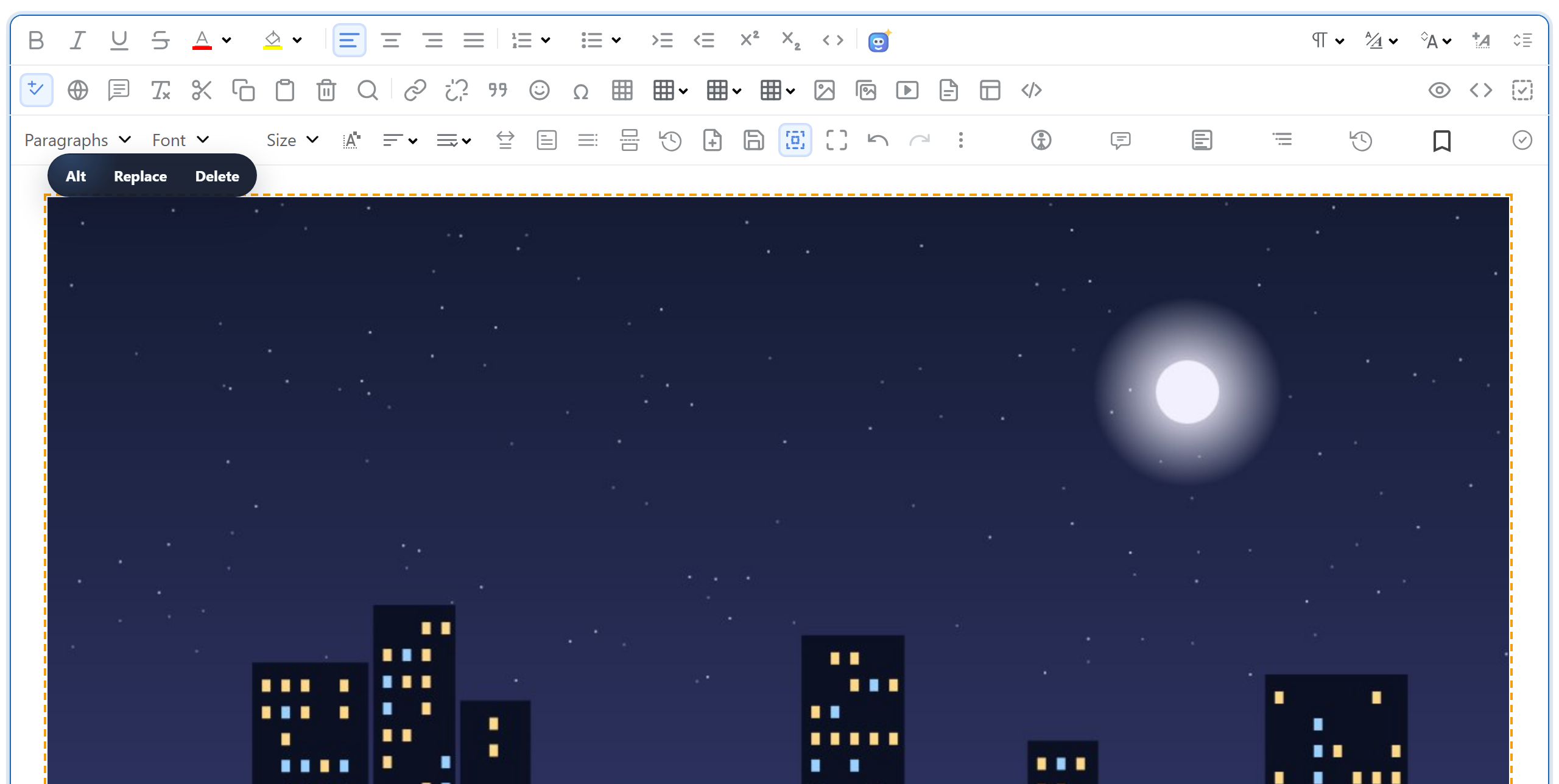
用 dotnet run 运行本指南的示例项目,然后打开 http://localhost:5304。打开 Insert Gallery,点击 Upload 并选择一张照片:照片会被保存并列出,双击即可插入。在 shell 中调用同一个路由:
curl -F "file=@photo.jpg" http://localhost:5304/rte/upload
{"url":"/uploads/photo-e2f78227.jpg"}
在浏览器的网络面板中,图片上传是一个普通的 POST /rte/upload 请求,与 _blazor WebSocket 并列显示。
其他平台的同一指南
JavaScript · Next.js · PHP · ASP.NET Core · Razor Pages · MVC 5 · Web Forms