Upload images from a rich text editor in Blazor
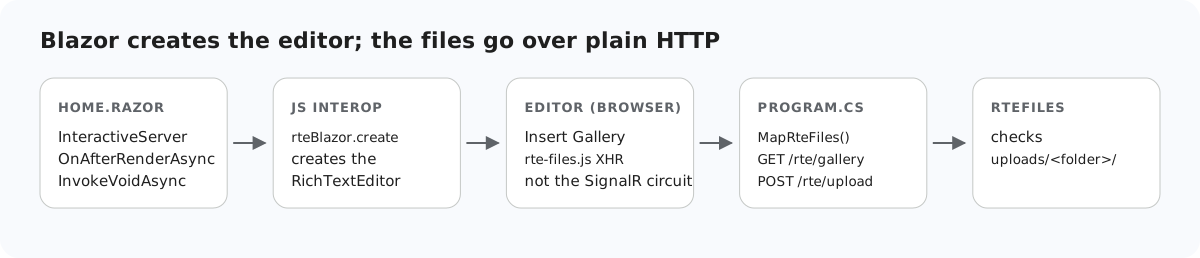
In Blazor Server it is tempting to send everything through the component: the circuit is already connected, and C# is right there. For the editor's image uploads that does not work, and the reasons are specific to Blazor. This page explains why the pictures go to plain HTTP endpoints in the same app, how those endpoints sit next to MapRazorComponents, and what the Blazor template's antiforgery middleware does to them.
Why not the circuit
- The editor posts to a URL. Drag and drop, paste, the Insert Image dialog and the gallery's Upload button all send a
multipart/form-dataXHR, throughrte-files.js, to/rte/upload. A Razor component has no URL that accepts a POST. - The circuit has a 32 KB message limit. Messages from the browser to the server over SignalR are limited to 32 KB by default, and that includes JS interop results. We returned the editor's HTML as a string through
InvokeAsync<string>: 20,000 characters arrived, 40,000 closed the circuit with "Connection closed with an error". Pushing picture bytes through interop would hit the same wall. Blazor's own<InputFile>streams around it, but the editor does not useInputFile.
So the component only creates the editor (Add an image gallery to a rich text editor in Blazor shows how), and the files travel over HTTP, as they would in any other ASP.NET Core app.
Program.cs
var builder = WebApplication.CreateBuilder(args);
builder.Services.AddRazorComponents().AddInteractiveServerComponents();
var app = builder.Build();

app.UseStaticFiles();
app.UseRteStaticFiles();   // /uploads, /richtexteditor, /rte-files.js
app.UseAntiforgery();      // Blazor's own forms; the /rte endpoints opt out (RteEndpoints.cs)

app.MapRteFiles();         // GET+POST /rte/gallery, POST /rte/upload
app.MapRazorComponents<App>().AddInteractiveServerRenderMode();

app.Run();
MapRteFiles() maps three Minimal API endpoints: GET and POST /rte/gallery and POST /rte/upload. UseRteStaticFiles() serves the stored pictures at /uploads, the editor at /richtexteditor and rte-files.js. All of it runs in the same process as the circuit, so the endpoints can use the same services and the same sign-in.
The template's antiforgery
The Blazor Web App template calls app.UseAntiforgery(), for Blazor's own forms. In .NET 8 an endpoint that binds IFormFile carries antiforgery metadata, so with that middleware in place, an upload without a token got a 400. In Development the reason is visible: "Invalid anti-forgery token found when reading parameter "IFormFile file" from the request body as form." The editor's XHRs carry no token, so the two POST endpoints opt out:
// Binding [FromForm] or IFormFile makes .NET 8 demand an antiforgery token on these endpoints.
// The editor's XHRs cannot send one, so it is switched off here and RteFiles checks the
// request's origin instead (see RequireSameOrigin). guide-notes.md has the details.
rte.MapPost("/gallery", (HttpContext http, [FromForm] string? action, [FromForm] string? folder, [FromForm] string? name) =>
    Json(RteFiles.CreateFolder(http, action, folder, name)))
.DisableAntiforgery();rte.MapPost("/upload", async (HttpContext http, IFormFile? file, [FromForm] string? folder) =>
Json(await RteFiles.Save(http, file, folder)))
.DisableAntiforgery()
// Kestrel accepts 30,000,000-byte bodies by default; this route needs ~4 MB.
.WithMetadata(new RequestSizeLimitAttribute(RteFiles.MaxRequestBytes))
.WithFormOptions(multipartBodyLengthLimit: RteFiles.MaxRequestBytes);In place of the token, RteFiles refuses POSTs that a browser marks as coming from another site, using Sec-Fetch-Site and Origin. Blazor's own forms keep their protection. The upload route also lowers the request limit to 4,065,536 bytes, against Kestrel's default 30,000,000; Upload size limits in ASP.NET Core covers what happens above it. Then RteFiles.Save checks the folder, the size, the extension and the first bytes, and stores the file under a new name, as in the ASP.NET Core upload guide.
Test it
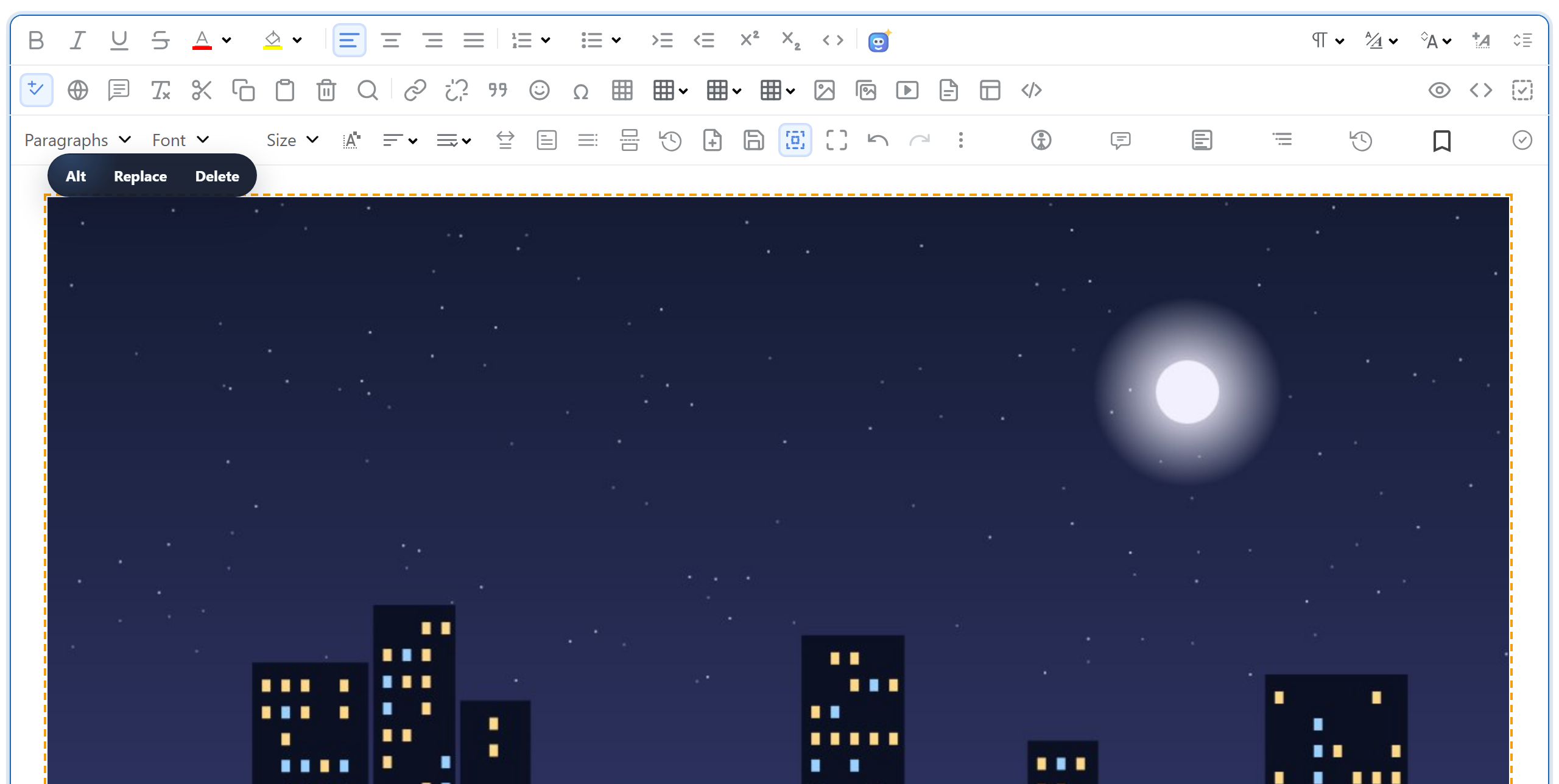
Run the sample project for this guide with dotnet run and open http://localhost:5304. Open Insert Gallery, click Upload and pick a photo: it is stored, listed, and inserted when you double-click it. From a shell, the same route:
curl -F "file=@photo.jpg" http://localhost:5304/rte/upload
{"url":"/uploads/photo-e2f78227.jpg"}
In the browser's network panel the picture is a normal POST /rte/upload request next to the _blazor WebSocket.
The same guide for other platforms
JavaScript · Next.js · PHP · ASP.NET Core · Razor Pages · MVC 5 · Web Forms