Upload images from a rich text editor in PHP
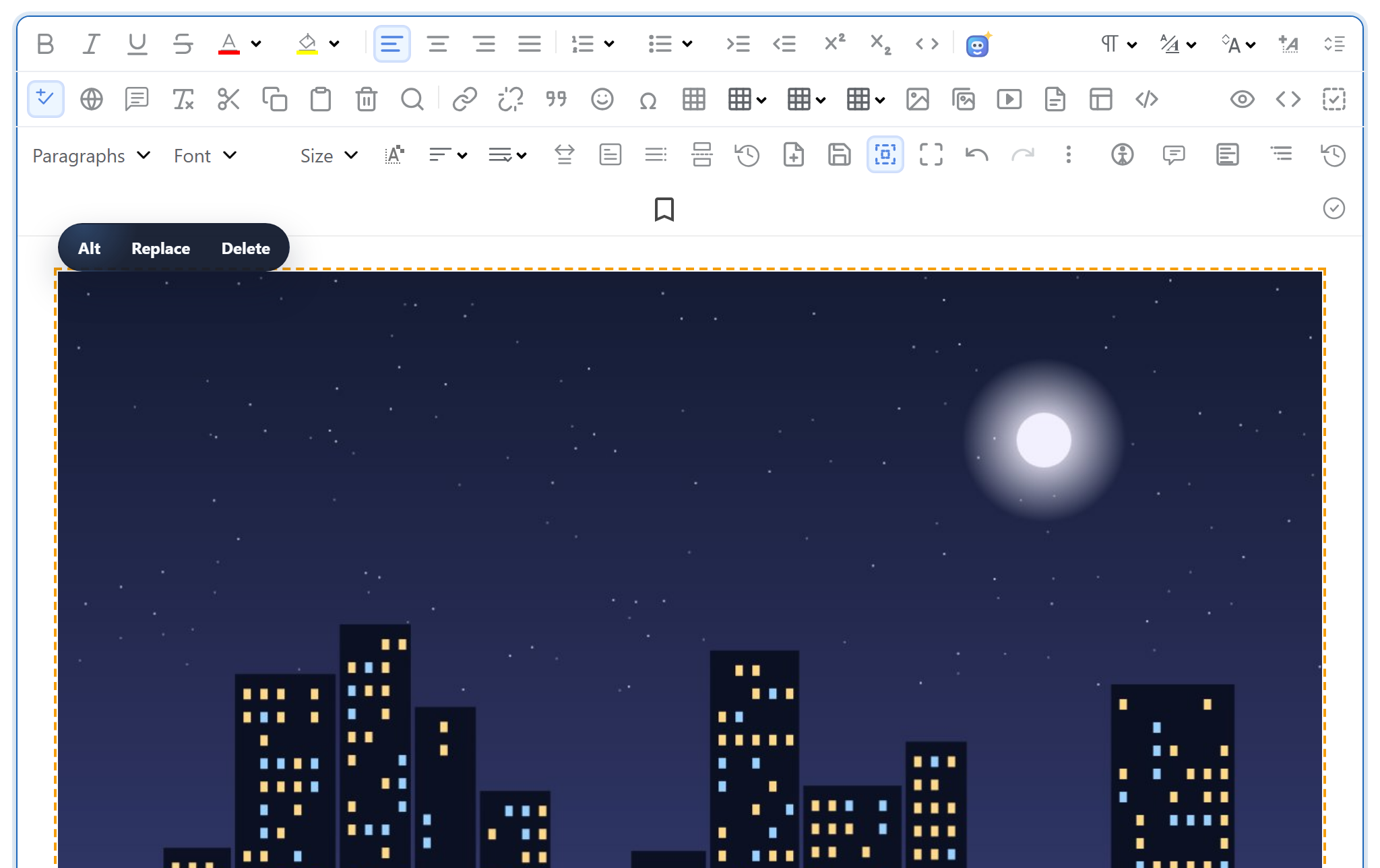
When someone inserts a picture in the editor, the browser has to send it somewhere and get back a URL to put in the <img>. This page gives you that endpoint in plain PHP 8: one script that takes the file from $_FILES, checks it, stores it with move_uploaded_file() and answers with JSON. No framework and no extra PHP extensions are needed.
Wire the editor to your server
The page loads the editor and one small browser file, rte-files.js, which posts each image to /rte/upload as multipart/form-data. The gallery dialog uses it to upload into the open folder. Drag and drop, paste and the Insert Image dialog use it too; those uploads have no folder and go to the root of uploads/.
<link rel="stylesheet" href="/richtexteditor/rte_theme_default.css">
<script src="/richtexteditor/rte.js"></script>
<script src="/richtexteditor/plugins/all_plugins.js"></script>
<script src="/rte-files.js"></script>
<script>
    new RichTextEditor("#editor", {
        toolbar: "full",
        galleryEndpoint: "/rte/gallery",
        maxUploadFileSize: 4000000     // same limit as rte/upload.php, checked before sending
    });
</script>
maxUploadFileSize lets the gallery dialog refuse a file that is too large before it is sent. The server checks the size again, because a browser check is only a convenience.
The route
PHP's built-in server needs a router script to map clean URLs to files. In the sample project, router.php sends /rte/upload to rte/upload.php and serves stored images from /uploads/:
if ($path === '/' || $path === '/index.php') {
    require __DIR__ . '/index.php';
} elseif ($path === '/rte/gallery') {
    require __DIR__ . '/rte/gallery.php';
} elseif ($path === '/rte/upload') {
    require __DIR__ . '/rte/upload.php';
} elseif ($path === '/demo-login') {
    require __DIR__ . '/demo-login.php';          // stand-in for your login, see that file
} elseif ($path === '/rte-files.js') {
    rte_send_static($sharedDir, 'rte-files.js', RTE_STATIC_TYPES);
} elseif (str_starts_with($path, '/richtexteditor/')) {
    rte_send_static($editorDir, substr($path, strlen('/richtexteditor/')), RTE_STATIC_TYPES);
} elseif (str_starts_with($path, '/uploads/')) {
    // Images only, sent as bytes. Returning false here instead would let the
    // built-in server EXECUTE a .php file that ended up in uploads/.
    rte_send_static(__DIR__ . '/uploads', substr($path, strlen('/uploads/')), RTE_UPLOAD_TYPES);
} else {
    rte_not_found();
}
return true; // never false: false hands the request to the built-in server's own file handling
The router never returns false. If it did, the built-in server would handle the request itself, and it runs any .php file it finds under the document root, including one that ended up in uploads/. We tried it with a one-line router that returns false: requesting /uploads/probe.php ran the script. On Apache the sample uses .htaccess rewrite rules instead; on nginx, exact location blocks. The secure upload guide shows both.
What PHP hands you
Before your script runs, PHP has already parsed the request and written the file to a temporary folder. $_FILES['file'] tells you how that went, and its error field is the first thing to check:
// Over post_max_size, PHP drops the WHOLE body: $_POST and $_FILES are both empty.
$length = (int)($_SERVER['CONTENT_LENGTH'] ?? 0);
if (empty($_FILES) && empty($_POST) && $length > rte_ini_bytes('post_max_size')) {
    throw new RteHttpError(413, 'The upload is larger than the server accepts (post_max_size).');
}

$file = $_FILES['file'] ?? null;
// One file only: "file[]" arrives as nested arrays, which this refuses.
if (!is_array($file) || !is_int($file['error'] ?? null) || !is_string($file['tmp_name'] ?? null)) {
    throw new RteHttpError(400, 'No file received. Send it as the "file" field.');
}
switch ($file['error']) {
    case UPLOAD_ERR_OK:
        break;
    case UPLOAD_ERR_INI_SIZE:   // larger than upload_max_filesize
    case UPLOAD_ERR_FORM_SIZE:  // larger than a MAX_FILE_SIZE form field
        throw new RteHttpError(413, 'The image is larger than the server accepts.');
    case UPLOAD_ERR_PARTIAL:
        throw new RteHttpError(400, 'The upload was interrupted. Please try again.');
    case UPLOAD_ERR_NO_FILE:
        throw new RteHttpError(400, 'No file received.');
    default:                    // NO_TMP_DIR, CANT_WRITE, EXTENSION: server-side problems
        error_log('rte upload: UPLOAD_ERR code ' . $file['error']);
        throw new RteHttpError(500, 'The server could not store the upload.');
}
if (!is_uploaded_file($file['tmp_name'])) {
    throw new RteHttpError(400, 'No file received.');
}

$size = filesize($file['tmp_name']);
if ($size === false || $size === 0) {
    throw new RteHttpError(400, 'The file is empty.');
}
if ($size > RTE_MAX_BYTES) {
    throw new RteHttpError(413, 'Images can be at most 4,000,000 bytes.');
}
Two details here are specific to PHP. When the request is larger than post_max_size, PHP throws the whole body away: $_POST and $_FILES are both empty, so the script has to compare CONTENT_LENGTH with the limit to know why. And upload_max_filesize is 2M by default, which is below this sample's 4,000,000-byte limit. The size limits guide covers all of this.
What the server checks
The name decides the extension, and the bytes must agree with it. $_FILES['file']['type'] is whatever the client wrote in the request, so it is ignored.
// The name decides the extension; the bytes must agree with it.
// $file['type'] is whatever the browser (or attacker) sent, so it is ignored.
$ext = rte_extension((string)($file['name'] ?? ''));
if (!in_array($ext, RTE_IMAGE_EXTENSIONS, true)) {
    throw new RteHttpError(400, 'Only .jpg, .jpeg, .png, .gif and .webp images can be uploaded.');
}
$types = ['jpg' => IMAGETYPE_JPEG, 'jpeg' => IMAGETYPE_JPEG, 'png' => IMAGETYPE_PNG, 'gif' => IMAGETYPE_GIF, 'webp' => IMAGETYPE_WEBP];
// Signature first, then getimagesize() (core PHP, no GD needed) parses the header.
// A bare signature followed by junk still parses, but as 0x0, so require real dimensions.
$info = @getimagesize($file['tmp_name']);
if (!rte_signature_matches($file['tmp_name'], $ext) || $info === false
    || $info[2] !== $types[$ext] || $info[0] < 1 || $info[1] < 1) {
    throw new RteHttpError(400, 'The file is not a valid .' . $ext . ' image.');
}
getimagesize() is part of core PHP. It does not need GD or fileinfo.
Where files go
The folder from the request is a virtual path like blog or products/2026, never a disk path. It is resolved inside the storage root first. The file is then stored under a generated name, so two uploads called photo.jpg never overwrite each other:
$folder = rte_resolve_folder($_POST['folder'] ?? '');

// Generated name: uploads never overwrite each other and never keep the client's name as-is.
$base = rte_safe_base((string)$file['name']);
for ($try = 0; $try < 5; $try++) {
    $stored = $base . '-' . bin2hex(random_bytes(4)) . '.' . $ext;
    $target = $folder['dir'] . DIRECTORY_SEPARATOR . $stored;
    if (!file_exists($target)) {
        break;
    }
}
if (file_exists($target) || !move_uploaded_file($file['tmp_name'], $target)) {
    throw new RteHttpError(500, 'The server could not save the image.');
}
return ['url' => rte_url($folder['root'], [...$folder['segments'], $stored])];
The response is {"url": "/uploads/blog/harbor-2839881c.jpg"}, and the editor inserts that URL. On failure the script answers 400 or 413 with {"error": "..."}.
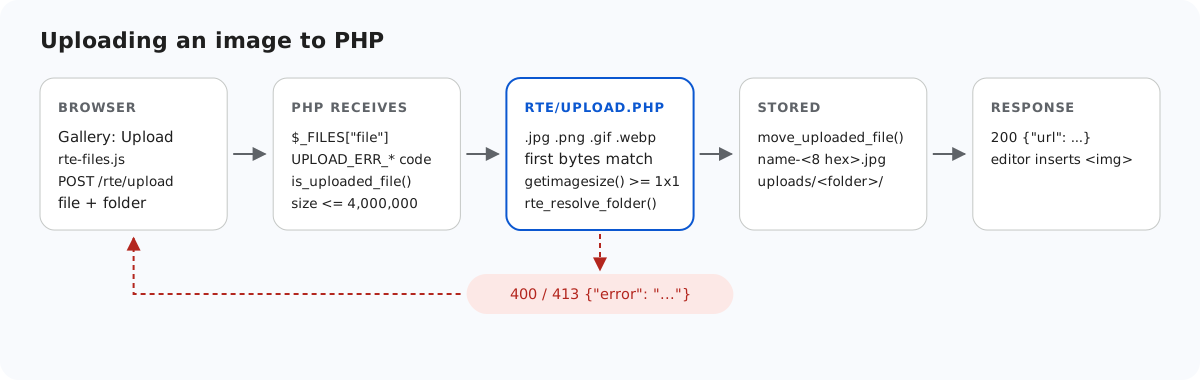
move_uploaded_file(). A failure goes back to the browser as JSON.When an upload fails, the gallery dialog currently shows its own message, "Upload failed for holiday.jpg.", not the server's text. The server's reason is still in the response body, where you can see it in the browser's developer tools.
Test it
Download the sample project for this guide, put the richtexteditor folder from the editor download next to index.php, and start PHP's built-in server:
php -d upload_max_filesize=5M -d display_errors=0 -d log_errors=1 -S localhost:5201 router.phpThen upload a picture with curl, once to the root and once into the blog folder:
curl -F "file=@harbor.jpg" http://localhost:5201/rte/upload
{"url":"/uploads/harbor-f95d28e0.jpg"}

curl -F "file=@harbor.jpg" -F folder=blog http://localhost:5201/rte/upload
{"url":"/uploads/blog/harbor-2839881c.jpg"}
The folder has to exist already. Open http://localhost:5201/, click Insert Gallery, and the uploaded files are listed there. The sample also passes the shared contract test that every platform's sample runs: node shared/contract-test.mjs http://localhost:5201 ends with ALL 35 CHECKS PASSED.
The same guide for other platforms
JavaScript · Next.js · ASP.NET Core · Razor Pages · Blazor · MVC 5 · Web Forms