ASP.NET MVC 5 のギャラリーフォルダー:安全に閲覧・作成する
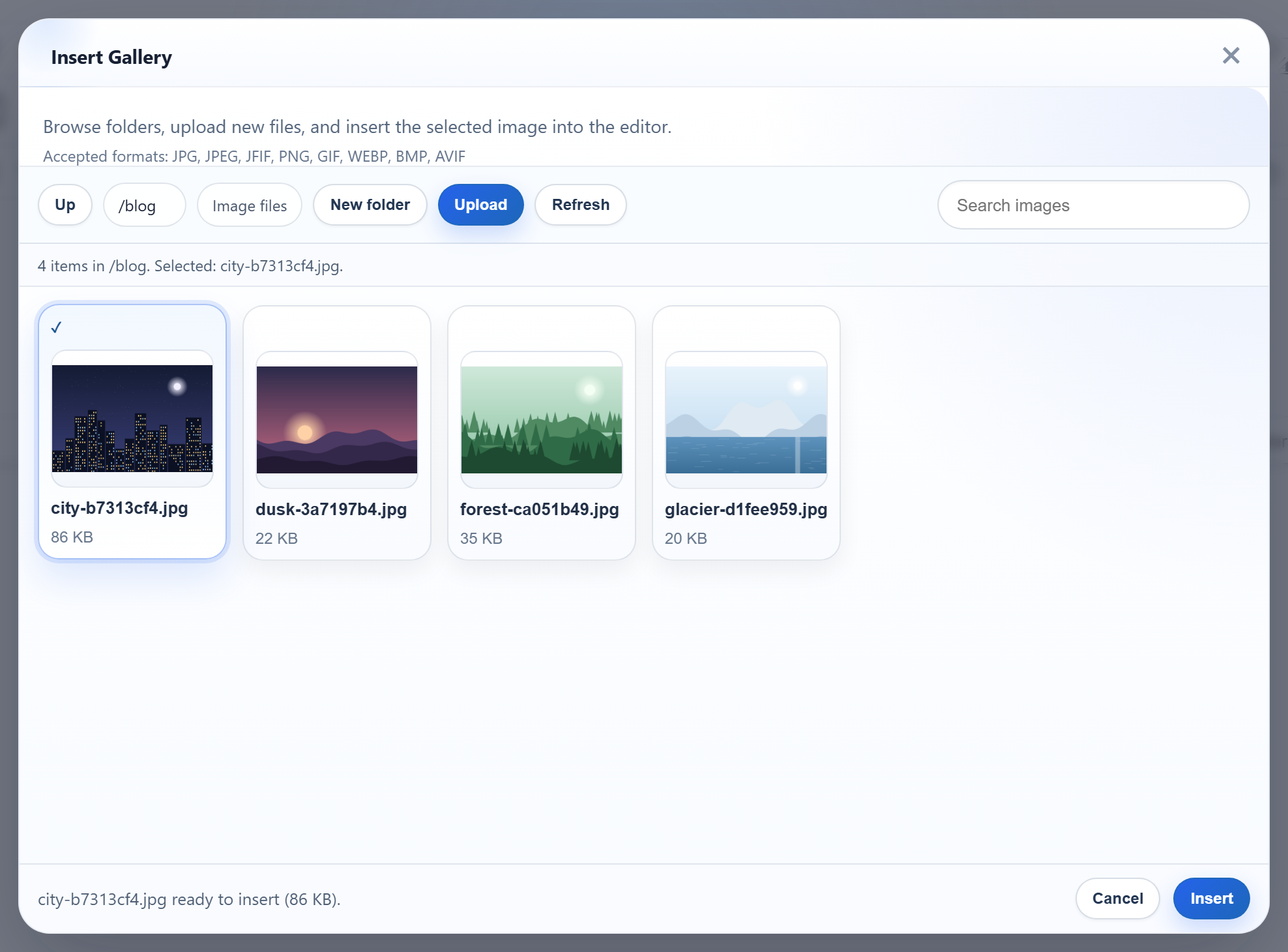
ギャラリーダイアログは、GET /rte/gallery?folder=blog でフォルダーを開き、同じ URL への POST でフォルダーを作成します。ASP.NET MVC 5 では、これは同じ名前を持つ 2 つのアクションと、MVC の予約済みのルート値と同じ名前を持つフォームフィールドを意味します。このページでは、サンプルでそれをどのように構成しているか、そしてブラウザーから来たフォルダー名を、パスとして信用することなく uploads/ 内のパスに変換する方法を紹介します。
1 つの URL に 2 つのアクション
rte/gallery というルートは、Gallery というアクション名を指しています。GET のメソッドは Gallery(string folder) で、ギャラリーのガイドで紹介しています。POST のメソッドには別の C# の名前が必要なので、[ActionName("Gallery")] でルートの名前を与え直し、[HttpPost] で MVC が 2 つのうちどちらかを選べるようにしています。
[HttpPost]
[ActionName("Gallery")]
public ActionResult GalleryPost(string folder, string name)
{
    try
    {
        // Read "action" from the form directly: as an action parameter it would collide
        // with MVC's own {action} route value.
        if (Request.Unvalidated.Form["action"] != "create-folder")
            throw new RteException(400, "Unknown action.");
        RteFiles.CreateFolder(HttpContext, folder ?? "", name);
        return JsonStatus(200, RteFiles.Listing(HttpContext, folder ?? ""));
    }
    catch (RteException ex)
    {
        return JsonStatus(ex.Status, new { error = ex.Message });
    }
}
「action」という名前のフィールド
ダイアログは、action=create-folder、folder(親フォルダー)、name を POST します。string action をパラメーターとして受け取るのが自然に見えますが、action は MVC 自体のルート値でもあります。使い捨ての [HttpPost] Act(string action) で試したところ、action フィールドなしで POST すると、ルート値である action=Act を受け取りました。フィールドがある場合は create-folder を受け取りました。得られる値が、フォームだけでなくルートにも左右されるということです。そこでサンプルでは、代わりに Request.Unvalidated.Form["action"] を読み取り、フォームのフィールドだけを使うようにしています。フィールドがない場合は「Unknown action.」(400)を返します。
folder と name は通常のパラメーターです。コントローラーに [ValidateInput(false)] があるため、要求の検証なしでバインドされます。これがないと、name=<b>x は要求の検証による HTML の 500 になりました。これがあれば、名前はサンプル独自のルールに届き、JSON の 400 が返ります。
フォルダーの作成
public static void CreateFolder(HttpContextBase context, string parentFolder, string name)
{
    StorageRoot root = GetRoot(context);
    string parentDir = ResolveFolder(root, parentFolder ?? "");
    string problem = NameProblem(name);
    if (problem != null)
        throw new RteException(400, problem);

    string target = Path.Combine(parentDir, name);
    if (Directory.Exists(target) || File.Exists(target))
        throw new RteException(409, "A folder named \"" + name + "\" already exists.");
    Directory.CreateDirectory(target);
}
成功すると、アクションは親フォルダーの一覧を返すので、ダイアログは新しいフォルダーをすぐに表示します。既存のフォルダーの場合は 409 になり、NTFS では Blog と blog は同じ名前とみなされます。
フォルダーが入力どおりのパスになることはない
// Turns a virtual folder ("", "products", "products/2026") into a directory inside the
// root. Every segment must be a valid folder name, which already rules out "..", ".",
// empty segments, "\", ":", drive letters, NUL and leading "/". The resolved path is
// then checked against the root anyway, so a mistake in the rules cannot escape it.
static string ResolveFolder(StorageRoot root, string folder)
{
    if (folder.Length > 0)
    {
        foreach (string segment in folder.Split('/'))
        {
            if (!IsValidName(segment))
                throw new RteException(400, "Invalid folder.");
        }
    }

    string full = Path.GetFullPath(Path.Combine(root.Dir, folder.Replace('/', '\\')));
    if (!(full.TrimEnd('\\') + "\\").StartsWith(root.Dir, StringComparison.OrdinalIgnoreCase))
        throw new RteException(400, "Invalid folder.");
    if (!Directory.Exists(full))
        throw new RteException(404, "Folder not found.");
    return full;
}
仮想フォルダーを / で区切った各部分は有効な名前でなければならず、これだけで ..、\、:、空の部分は除外されます。結合したパスは次に Path.GetFullPath を通し、Server.MapPath("~/uploads") が返したルートで始まっていることを確認します。名前のルールが「英字、数字、スペース、-、_、.」よりも厳しいのは、実際に遭遇した次の 2 つの理由によるものです。
binやApp_Dataという名前のフォルダーは作成できますが、IIS の要求フィルタリングは、URL のどこにあってもそれらを非表示のセグメントとして扱います。uploads/bin/に置いた画像は 404.8 になりました。サンプルでは、conやaux.txtなどの Windows のデバイス名とあわせて、これらの名前を拒否します。- 末尾が
.またはスペースの名前は拒否します。Microsoft のファイル名の規則によると、Windows はそれらの文字を削除するため、ディスク上のフォルダーがダイアログの名前と一致しなくなるからです。
// 1-64 chars of letters, digits, space, '-', '_', '.'; not starting with '.'.
// Windows extras: no trailing '.' or space (Windows silently drops them, so "a." would
// be the same folder as "a"), and no reserved device or IIS-hidden names.
public static bool IsValidName(string name)
{
    return NameProblem(name) == null;
}

static string NameProblem(string name)
{
    const string rule = "Folder names are 1-64 letters, digits, spaces, '-', '_' or '.', and cannot start with '.'.";
    if (string.IsNullOrEmpty(name) || name.Length > 64 || name[0] == '.')
        return rule;
    foreach (char c in name)
    {
        if (!char.IsLetterOrDigit(c) && c != ' ' && c != '-' && c != '_' && c != '.')
            return rule;
    }
    char last = name[name.Length - 1];
    if (last == '.' || last == ' ')
        return "Folder names cannot end with '.' or a space.";
    string lower = name.ToLowerInvariant();
    string stem = lower.Split('.')[0].Trim();
    if (Array.IndexOf(BlockedNames, lower) >= 0 || Array.IndexOf(BlockedNames, stem) >= 0)
        return "\"" + name + "\" is a reserved name on Windows or IIS.";
    return null;
}
テストする
このガイドのサンプルプロジェクトをポート 5402 で実行した状態で、ダイアログで blog フォルダーを作成してから、以下を実行します。
curl -F action=create-folder -F folder=blog -F name=2026 http://localhost:5402/rte/gallery
{"currentFolder":"blog","currentFolderDisplay":"/blog","parentFolder":"","folders":[{"folder":"blog/2026","name":"2026"}],"images":[...]}

curl -F action=create-folder -F folder= -F name=bin http://localhost:5402/rte/gallery
{"error":"\"bin\" is a reserved name on Windows or IIS."}
一覧に新しいフォルダーを含む HTTP 200、続いて HTTP 400 になります。/rte/gallery への PUT は、どちらのアクションもその動詞を受け付けないため、MVC の通常の 404 になります。ダイアログでは、New folder が名前を尋ね、フォルダーをすぐに表示します。
ほかのプラットフォーム向けの同じガイド
JavaScript · PHP · ASP.NET Core · Web Forms