Gallery folders in ASP.NET MVC 5: browse and create safely
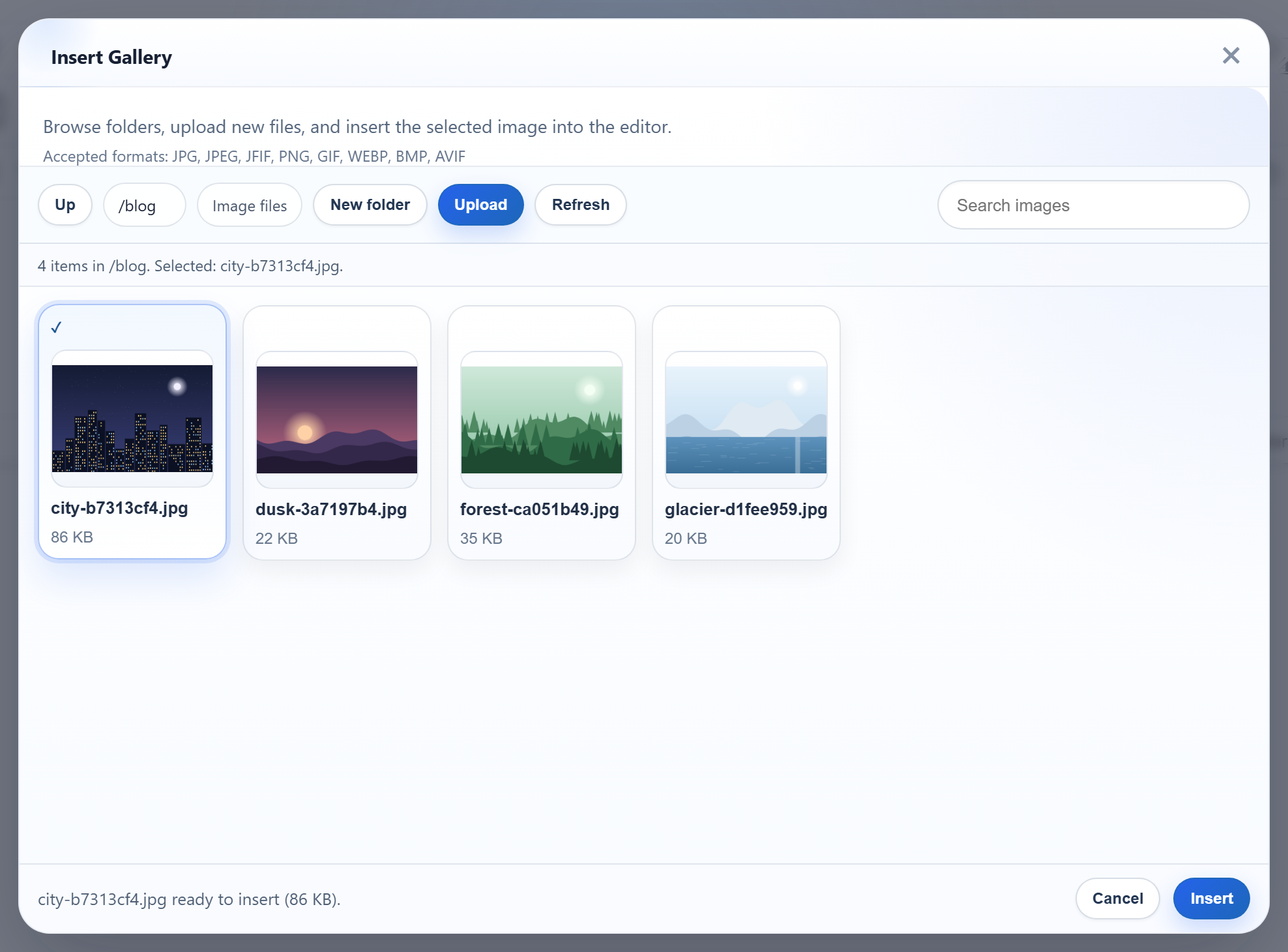
The gallery dialog opens folders with GET /rte/gallery?folder=blog and creates them with a POST to the same URL. In ASP.NET MVC 5 that means two actions with one name, and one form field whose name is also a reserved MVC route value. This page shows how the sample sets that up, and how a folder name from the browser becomes a path inside uploads/ without ever being trusted as one.
One URL, two actions
The route rte/gallery points at the action name Gallery. The GET method is Gallery(string folder), shown in the gallery guide. The POST method needs another C# name, so [ActionName("Gallery")] gives it the route's name back, and [HttpPost] lets MVC choose between the two:
[HttpPost]
[ActionName("Gallery")]
public ActionResult GalleryPost(string folder, string name)
{
    try
    {
        // Read "action" from the form directly: as an action parameter it would collide
        // with MVC's own {action} route value.
        if (Request.Unvalidated.Form["action"] != "create-folder")
            throw new RteException(400, "Unknown action.");
        RteFiles.CreateFolder(HttpContext, folder ?? "", name);
        return JsonStatus(200, RteFiles.Listing(HttpContext, folder ?? ""));
    }
    catch (RteException ex)
    {
        return JsonStatus(ex.Status, new { error = ex.Message });
    }
}
The field called "action"
The dialog posts action=create-folder, folder (the parent) and name. Taking string action as a parameter looks natural, but action is also MVC's own route value. We tested it with a throwaway [HttpPost] Act(string action). Posted without an action field, it received action=Act, the route value. With the field, it received create-folder. The value you get depends on the route as well as the form. The sample reads Request.Unvalidated.Form["action"] instead, so only the form field counts, and a missing field is answered with "Unknown action." (400).
folder and name are ordinary parameters. They bind without request validation because the controller has [ValidateInput(false)]. Without it, name=<b>x gave an HTML 500 from request validation. With it, the name reaches the sample's own rules and comes back as a JSON 400.
Creating the folder
public static void CreateFolder(HttpContextBase context, string parentFolder, string name)
{
    StorageRoot root = GetRoot(context);
    string parentDir = ResolveFolder(root, parentFolder ?? "");
    string problem = NameProblem(name);
    if (problem != null)
        throw new RteException(400, problem);

    string target = Path.Combine(parentDir, name);
    if (Directory.Exists(target) || File.Exists(target))
        throw new RteException(409, "A folder named \"" + name + "\" already exists.");
    Directory.CreateDirectory(target);
}
On success the action returns the parent's listing, so the dialog shows the new folder at once. An existing folder gives 409, and on NTFS Blog and blog count as the same name.
The folder never becomes a path as typed
// Turns a virtual folder ("", "products", "products/2026") into a directory inside the
// root. Every segment must be a valid folder name, which already rules out "..", ".",
// empty segments, "\", ":", drive letters, NUL and leading "/". The resolved path is
// then checked against the root anyway, so a mistake in the rules cannot escape it.
static string ResolveFolder(StorageRoot root, string folder)
{
    if (folder.Length > 0)
    {
        foreach (string segment in folder.Split('/'))
        {
            if (!IsValidName(segment))
                throw new RteException(400, "Invalid folder.");
        }
    }

    string full = Path.GetFullPath(Path.Combine(root.Dir, folder.Replace('/', '\\')));
    if (!(full.TrimEnd('\\') + "\\").StartsWith(root.Dir, StringComparison.OrdinalIgnoreCase))
        throw new RteException(400, "Invalid folder.");
    if (!Directory.Exists(full))
        throw new RteException(404, "Folder not found.");
    return full;
}
Each /-separated part of the virtual folder must be a valid name, which already excludes .., \, : and empty parts. The joined path then goes through Path.GetFullPath and must still start with the root that Server.MapPath("~/uploads") returned. The name rules are stricter than "letters, digits, space, -, _, ." for two reasons we ran into:
- A folder named
binorApp_Datacan be created, but IIS request filtering treats those as hidden segments anywhere in a URL. An image placed inuploads/bin/answered 404.8. The sample refuses such names, along with Windows device names likeconandaux.txt. - Names ending in
.or a space are refused, because Microsoft's file naming rules say Windows drops those characters, so the folder on disk would not match the name in the dialog.
// 1-64 chars of letters, digits, space, '-', '_', '.'; not starting with '.'.
// Windows extras: no trailing '.' or space (Windows silently drops them, so "a." would
// be the same folder as "a"), and no reserved device or IIS-hidden names.
public static bool IsValidName(string name)
{
    return NameProblem(name) == null;
}

static string NameProblem(string name)
{
    const string rule = "Folder names are 1-64 letters, digits, spaces, '-', '_' or '.', and cannot start with '.'.";
    if (string.IsNullOrEmpty(name) || name.Length > 64 || name[0] == '.')
        return rule;
    foreach (char c in name)
    {
        if (!char.IsLetterOrDigit(c) && c != ' ' && c != '-' && c != '_' && c != '.')
            return rule;
    }
    char last = name[name.Length - 1];
    if (last == '.' || last == ' ')
        return "Folder names cannot end with '.' or a space.";
    string lower = name.ToLowerInvariant();
    string stem = lower.Split('.')[0].Trim();
    if (Array.IndexOf(BlockedNames, lower) >= 0 || Array.IndexOf(BlockedNames, stem) >= 0)
        return "\"" + name + "\" is a reserved name on Windows or IIS.";
    return null;
}
Test it
With the sample project for this guide running on port 5402, create a blog folder in the dialog, then:
curl -F action=create-folder -F folder=blog -F name=2026 http://localhost:5402/rte/gallery
{"currentFolder":"blog","currentFolderDisplay":"/blog","parentFolder":"","folders":[{"folder":"blog/2026","name":"2026"}],"images":[...]}

curl -F action=create-folder -F folder= -F name=bin http://localhost:5402/rte/gallery
{"error":"\"bin\" is a reserved name on Windows or IIS."}
HTTP 200 with the new folder in the listing, then HTTP 400. A PUT to /rte/gallery gets MVC's ordinary 404, because neither action accepts that verb. In the dialog, New folder asks for a name and shows the folder straight away.
The same guide for other platforms
JavaScript · PHP · ASP.NET Core · Web Forms