ASP.NET Core 中的图片库文件夹:安全地浏览和创建
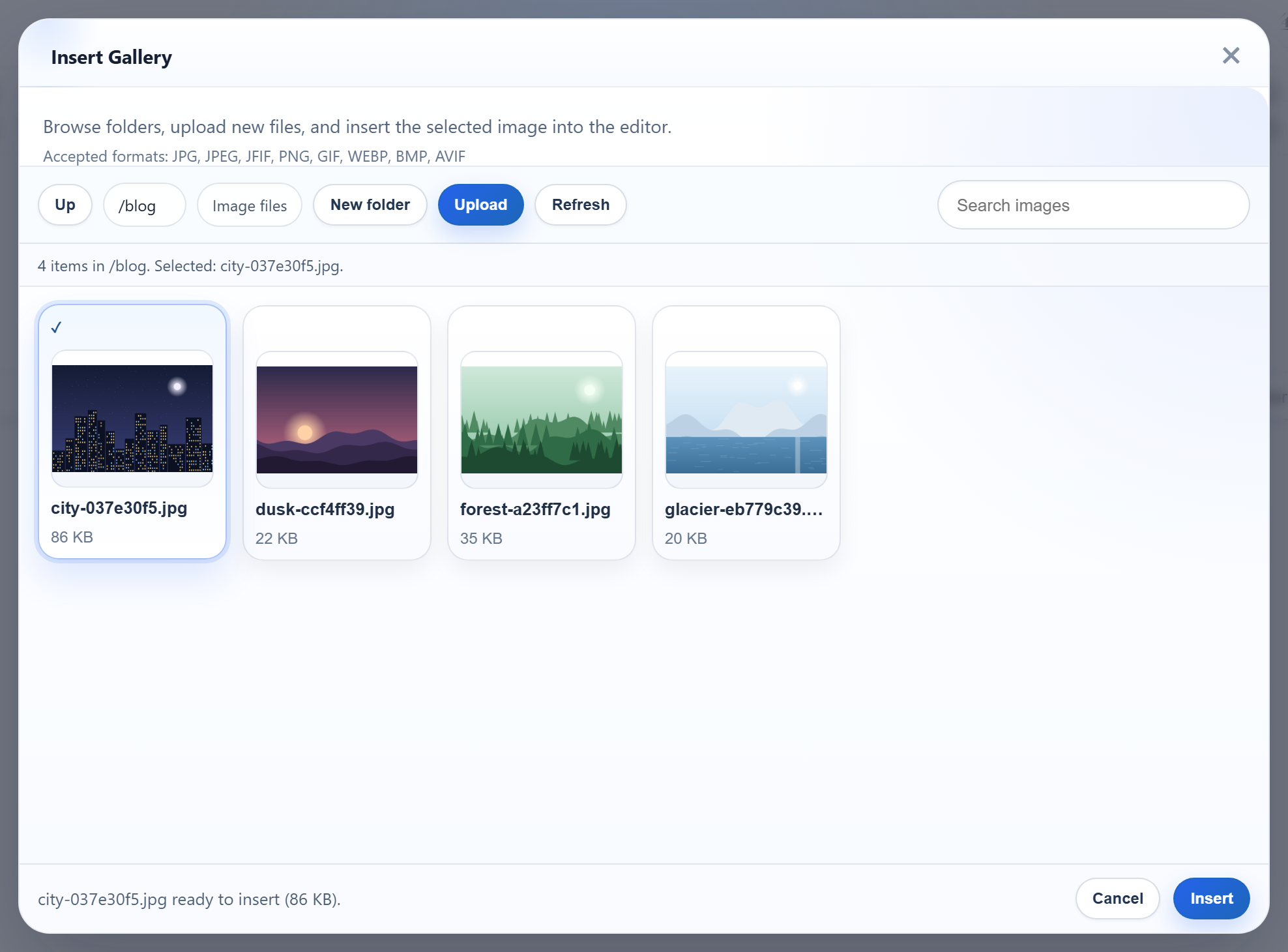
图片库的 New folder 按钮和文件夹图块会把文件夹名称从浏览器发送到服务器。在 ASP.NET Core 中,这个名称必须变成磁盘上的路径,同时绝不能离开 uploads/,而 Windows 对“什么是文件夹名”还有自己的一些意外规则。本页介绍创建文件夹的路由、名称规则和路径检查,并附上我们对错误输入得到的响应。
路由
New folder 以 multipart/form-data 格式把 action=create-folder、当前打开的文件夹和新名称 POST 到图片库 URL:
// POST /rte/gallery   action=create-folder, folder, name
[HttpPost("gallery")]
public IActionResult CreateFolder([FromForm(Name = "action")] string? op, [FromForm] string? folder, [FromForm] string? name) =>
    Send(RteFiles.CreateFolder(HttpContext, op, folder, name));
C# 参数名为 op,用 [FromForm(Name = "action")] 绑定,以免与 MVC 自己的 action 路由值冲突。该方法返回父文件夹的列表,因此对话框能立即显示新文件夹:
// POST /rte/gallery   action=create-folder, folder=<parent>, name=<new folder>
public static RteResult CreateFolder(HttpContext http, string? action, string? folder, string? name) => Run(() =>
{
    RequireSameOrigin(http.Request);
    if (action != "create-folder") throw new RteError(400, "Unknown action.");
    var root = RootFor(http);
    folder ??= "";
    var parent = Resolve(root, folder);
    if (!IsValidName(name))
        throw new RteError(400, "Use 1-64 letters, digits, spaces, '-', '_' or '.', not starting with '.'.");
    var path = Path.Combine(parent, name!);
    if (Directory.Exists(path) || File.Exists(path))
        throw new RteError(409, "A folder with that name already exists.");
    Directory.CreateDirectory(path);
    return Listing(root, folder, parent); // the parent's listing, so the new folder shows
});
在 Windows 上,Directory.Exists 不区分大小写,因此在已有 blog 的位置创建 Blog,会和完全重名一样得到 409。
文件夹名称
// Folder names: 1-64 ASCII letters, digits, space, - _ . ; not starting with "." (no "..", no hidden
// folders). Also refused because Windows mangles them: a trailing "." or space, a leading space,
// and device names such as "con" or "nul.txt".
public static bool IsValidName(string? name) =>
    name is { Length: >= 1 and <= 64 }
    && name.All(c => char.IsAsciiLetterOrDigit(c) || c is ' ' or '-' or '_' or '.')
    && !name.StartsWith('.') && !name.StartsWith(' ')
    && !name.EndsWith('.') && !name.EndsWith(' ')
    && !WindowsDeviceNames.Contains(name.Split('.')[0]);
只允许 ASCII 字母、数字、空格、-、_ 和 .,一步就排除了 /、\、:、% 和 NUL。其他规则源于 Windows 对名称的处理方式:
- 末尾的点或空格。
Path.GetFullPath(@"C:\app\uploads\photos.")返回C:\app\uploads\photos。以photos.创建的文件夹会被列为photos,两个名称会指向同一个文件夹。 - 设备名。
con、nul、com1等名称,无论是否带扩展名,都会被拒绝。name=con得到 400。 - 开头的点。这条规则排除了
..和.git之类的隐藏文件夹。列表也会跳过不符合规则的已有文件夹。
从虚拟文件夹到磁盘路径
浏览器只会发送虚拟路径:""、blog、blog/2026。每个路由都以相同的方式解析它们:
// A virtual folder ("", "products", "products/2026") becomes a disk path inside the root.
// Every segment must be a valid folder name, so "..", "C:", "\", "%2e%2e" and NUL never reach the disk.
static string Resolve(RteRoot root, string folder)
{
    var rootPath = Path.GetFullPath(root.Disk);
    Directory.CreateDirectory(rootPath);
    if (folder.Length == 0) return rootPath;

    var segments = folder.Split('/');
    if (!segments.All(IsValidName)) throw new RteError(400, "Invalid folder.");

    // Second line of defence: the resolved path must still be inside the root. Compare against the
    // root WITH a trailing separator, or "C:\app\uploads-old" would pass as inside "C:\app\uploads".
    var path = Path.GetFullPath(Path.Combine([rootPath, .. segments]));
    if (!path.StartsWith(Path.TrimEndingDirectorySeparator(rootPath) + Path.DirectorySeparatorChar, StringComparison.Ordinal))
        throw new RteError(400, "Invalid folder.");
    if (!Directory.Exists(path)) throw new RteError(404, "Folder not found.");
    return path;
}
每一段都必须符合名称规则,因此 ..、C:、%2e%2e 和开头的 / 在构造任何路径之前就会被拒绝。Path.GetFullPath 之后的包含检查是第二道防线,在 .NET 中它的两个细节都很重要:
@"C:\app\uploads-old\x.png".StartsWith(@"C:\app\uploads")的结果是true。请像代码中那样,与带末尾分隔符的根目录进行比较。Path.Combine(@"C:\app\uploads", @"C:\Windows")返回C:\Windows,Path.Combine(@"C:\app\uploads", @"\Windows")返回\Windows。带根的参数会丢弃它之前的所有内容。绝不要把未经检查的请求值传给Path.Combine。
GetFullPath 会解析 ..,但不会解析目录联接(junction)或符号链接。有服务器访问权限的人放在 uploads/ 中的目录联接仍然可以被浏览。
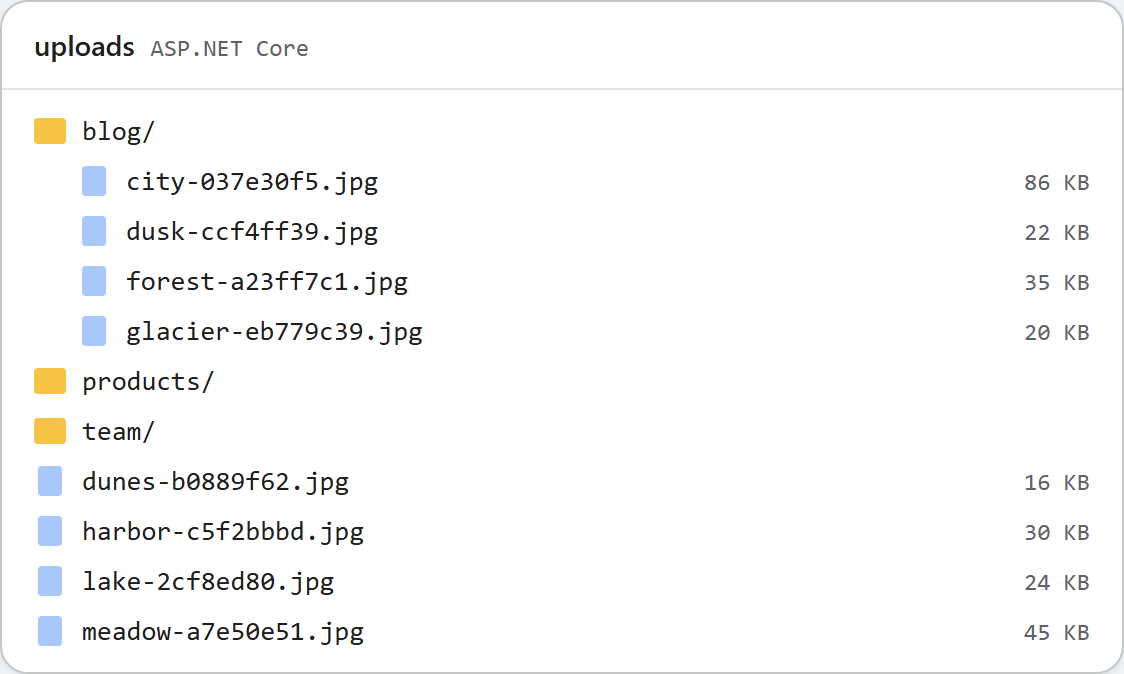
uploads/ 下的普通文件夹。测试
用 dotnet run 运行本指南的示例项目。在图片库中打开 blog 并点击 New folder,或者使用 curl。第一次创建返回 blog 的列表,第二次返回冲突:
curl -F "action=create-folder" -F "folder=blog" -F "name=2026" http://localhost:5302/rte/gallery
{"currentFolder":"blog","currentFolderDisplay":"/blog","parentFolder":"","folders":[{"folder":"blog/2026","name":"2026"}],"images":[...]}

curl -F "action=create-folder" -F "folder=blog" -F "name=2026" http://localhost:5302/rte/gallery
{"error":"A folder with that name already exists."}

curl -F "action=create-folder" -F "folder=" -F "name=.." http://localhost:5302/rte/gallery
{"error":"Use 1-64 letters, digits, spaces, '-', '_' or '.', not starting with '.'."}

curl "http://localhost:5302/rte/gallery?folder=..%2F.."
{"error":"Invalid folder."}

curl "http://localhost:5302/rte/gallery?folder=blog%2Fnope"
{"error":"Folder not found."}
状态码依次为 200、409、400、400 和 404。第一个响应中的图片在这里省略了;对话框用它们来绘制文件夹内容。
其他平台的同一指南
JavaScript · PHP · MVC 5 · Web Forms