Gallery folders in ASP.NET Core: browse and create safely
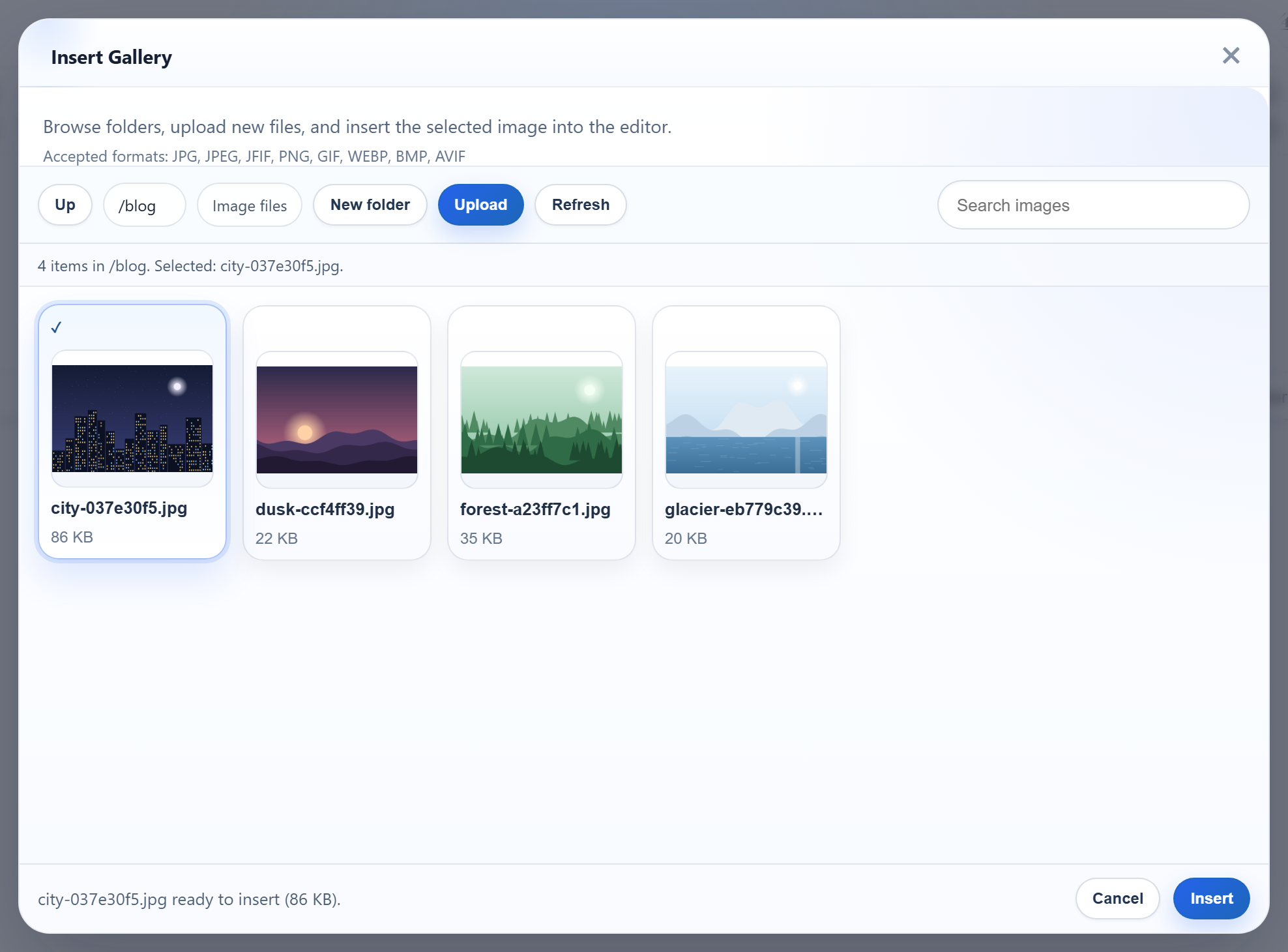
The gallery's New folder button and its folder tiles send a folder name from the browser to your server. In ASP.NET Core that name has to become a path on disk without ever leaving uploads/, and Windows adds its own surprises about what a folder name is. This page shows the create-folder route, the name rules, and the path check, with the answers we got for bad input.
The route
New folder posts action=create-folder, the open folder and the new name to the gallery URL, as multipart/form-data:
// POST /rte/gallery   action=create-folder, folder, name
[HttpPost("gallery")]
public IActionResult CreateFolder([FromForm(Name = "action")] string? op, [FromForm] string? folder, [FromForm] string? name) =>
    Send(RteFiles.CreateFolder(HttpContext, op, folder, name));
The C# parameter is called op and bound with [FromForm(Name = "action")], which keeps it apart from MVC's own action route value. The method answers with the listing of the parent folder, so the dialog shows the new folder straight away:
// POST /rte/gallery   action=create-folder, folder=<parent>, name=<new folder>
public static RteResult CreateFolder(HttpContext http, string? action, string? folder, string? name) => Run(() =>
{
    RequireSameOrigin(http.Request);
    if (action != "create-folder") throw new RteError(400, "Unknown action.");
    var root = RootFor(http);
    folder ??= "";
    var parent = Resolve(root, folder);
    if (!IsValidName(name))
        throw new RteError(400, "Use 1-64 letters, digits, spaces, '-', '_' or '.', not starting with '.'.");
    var path = Path.Combine(parent, name!);
    if (Directory.Exists(path) || File.Exists(path))
        throw new RteError(409, "A folder with that name already exists.");
    Directory.CreateDirectory(path);
    return Listing(root, folder, parent); // the parent's listing, so the new folder shows
});
On Windows, Directory.Exists is case-insensitive, so Blog next to an existing blog gets the same 409 as an exact duplicate.
Folder names
// Folder names: 1-64 ASCII letters, digits, space, - _ . ; not starting with "." (no "..", no hidden
// folders). Also refused because Windows mangles them: a trailing "." or space, a leading space,
// and device names such as "con" or "nul.txt".
public static bool IsValidName(string? name) =>
    name is { Length: >= 1 and <= 64 }
    && name.All(c => char.IsAsciiLetterOrDigit(c) || c is ' ' or '-' or '_' or '.')
    && !name.StartsWith('.') && !name.StartsWith(' ')
    && !name.EndsWith('.') && !name.EndsWith(' ')
    && !WindowsDeviceNames.Contains(name.Split('.')[0]);
Allowing only ASCII letters, digits, space, -, _ and . rules out /, \, :, % and NUL in one step. The other rules come from how Windows treats names:
- A trailing dot or space.
Path.GetFullPath(@"C:\app\uploads\photos.")returnedC:\app\uploads\photos. A folder created asphotos.would be listed asphotos, and the two names would point at one folder. - Device names.
con,nul,com1and the like, with or without an extension, are refused.name=congets a 400. - A leading dot. This keeps out
..and hidden folders such as.git. The listing skips existing folders that break the rules, too.
From a virtual folder to a disk path
The browser only ever sends virtual paths: "", blog, blog/2026. Every route resolves them the same way:
// A virtual folder ("", "products", "products/2026") becomes a disk path inside the root.
// Every segment must be a valid folder name, so "..", "C:", "\", "%2e%2e" and NUL never reach the disk.
static string Resolve(RteRoot root, string folder)
{
    var rootPath = Path.GetFullPath(root.Disk);
    Directory.CreateDirectory(rootPath);
    if (folder.Length == 0) return rootPath;

    var segments = folder.Split('/');
    if (!segments.All(IsValidName)) throw new RteError(400, "Invalid folder.");

    // Second line of defence: the resolved path must still be inside the root. Compare against the
    // root WITH a trailing separator, or "C:\app\uploads-old" would pass as inside "C:\app\uploads".
    var path = Path.GetFullPath(Path.Combine([rootPath, .. segments]));
    if (!path.StartsWith(Path.TrimEndingDirectorySeparator(rootPath) + Path.DirectorySeparatorChar, StringComparison.Ordinal))
        throw new RteError(400, "Invalid folder.");
    if (!Directory.Exists(path)) throw new RteError(404, "Folder not found.");
    return path;
}
Each segment must pass the name rules, so .., C:, %2e%2e and a leading / are refused before any path is built. The containment check after Path.GetFullPath is a second line of defence, and both of its details matter in .NET:
@"C:\app\uploads-old\x.png".StartsWith(@"C:\app\uploads")istrue. Compare against the root with a trailing separator, as the code does.Path.Combine(@"C:\app\uploads", @"C:\Windows")returnsC:\Windows, andPath.Combine(@"C:\app\uploads", @"\Windows")returns\Windows. A rooted argument throws away everything before it. Never pass a request value toPath.Combineunchecked.
GetFullPath resolves .. but not junctions or symbolic links. A junction that someone with server access puts inside uploads/ can still be browsed.
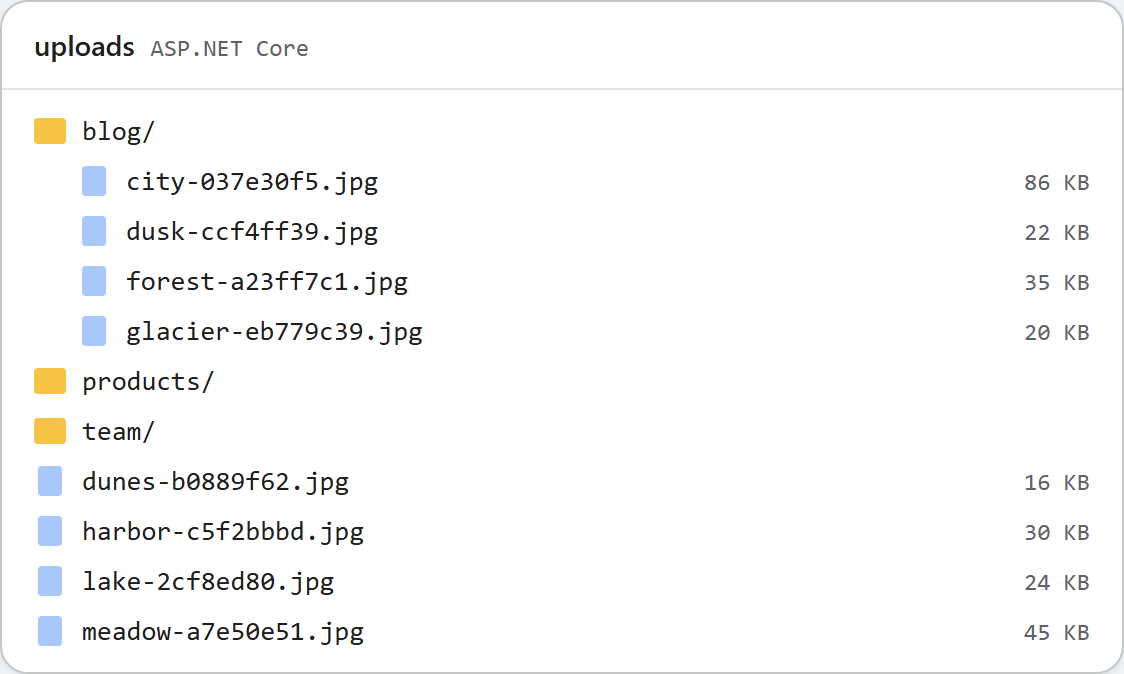
uploads/.Test it
Run the sample project for this guide with dotnet run. In the gallery, open blog and click New folder. Or use curl. The first create answers with the blog listing, the second one with a conflict:
curl -F "action=create-folder" -F "folder=blog" -F "name=2026" http://localhost:5302/rte/gallery
{"currentFolder":"blog","currentFolderDisplay":"/blog","parentFolder":"","folders":[{"folder":"blog/2026","name":"2026"}],"images":[...]}

curl -F "action=create-folder" -F "folder=blog" -F "name=2026" http://localhost:5302/rte/gallery
{"error":"A folder with that name already exists."}

curl -F "action=create-folder" -F "folder=" -F "name=.." http://localhost:5302/rte/gallery
{"error":"Use 1-64 letters, digits, spaces, '-', '_' or '.', not starting with '.'."}

curl "http://localhost:5302/rte/gallery?folder=..%2F.."
{"error":"Invalid folder."}

curl "http://localhost:5302/rte/gallery?folder=blog%2Fnope"
{"error":"Folder not found."}
The status codes are 200, 409, 400, 400 and 404. The images in the first answer are left out here; the dialog uses them to draw the folder.
The same guide for other platforms
JavaScript · PHP · MVC 5 · Web Forms