PHP 中的图片库文件夹:安全地浏览和创建
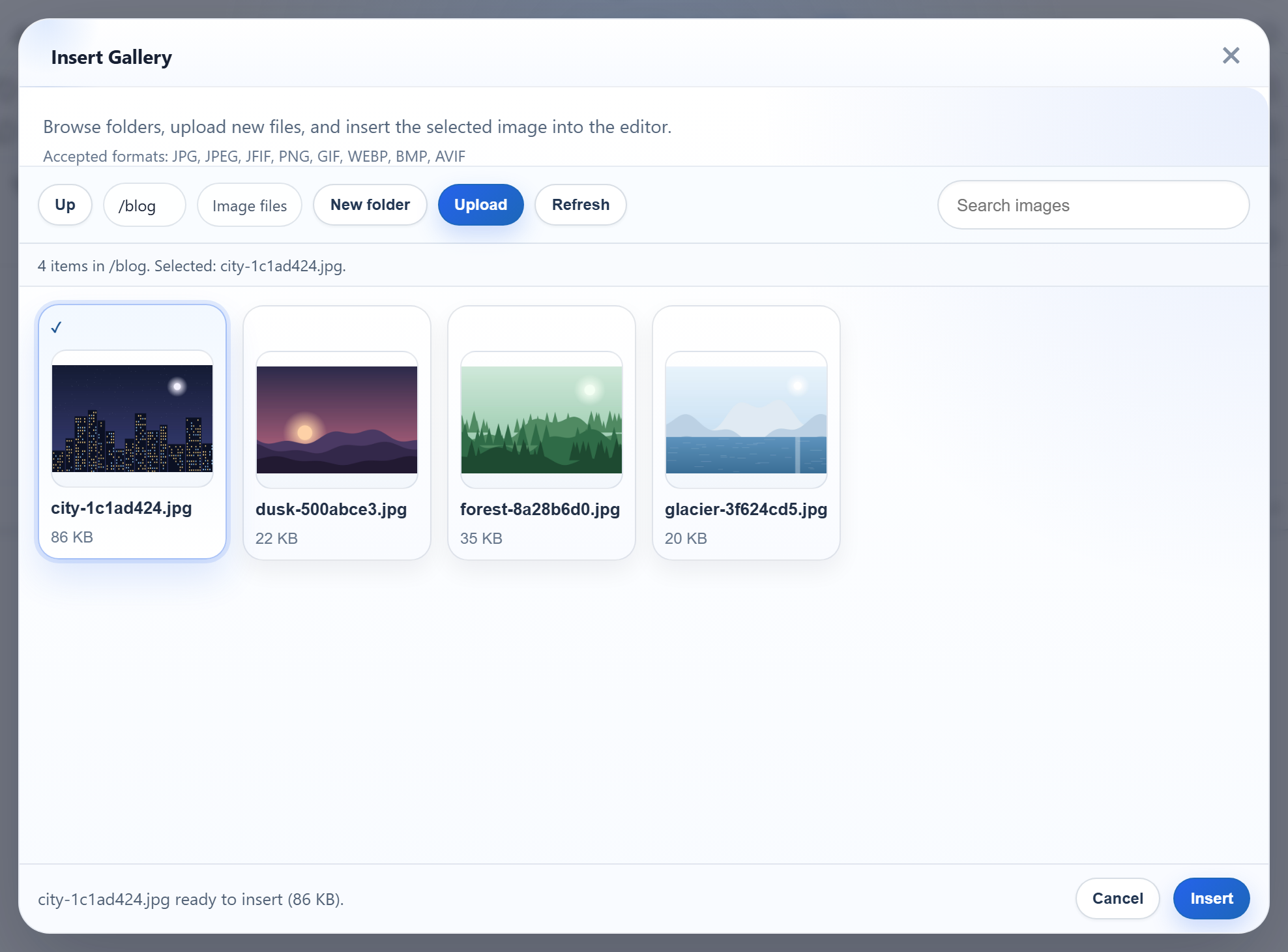
一旦站点有了几百张图片,单一的扁平文件夹就很难用了。图片库对话框可以浏览子文件夹、返回上一级,并通过 New folder 按钮新建文件夹。本页介绍 PHP 端的实现:对话框的虚拟文件夹名称如何映射到 uploads/ 下的目录,以及如何防止请求中的文件夹名称指向磁盘上的其他任何位置。
虚拟文件夹,而不是磁盘路径
对话框只会发送虚拟路径:根目录为 "",以及 blog、products/2026 等。它们始终使用 /,在 Windows 上也是如此,服务器绝不会直接把它们当作路径使用。每一部分都必须是有效的文件夹名:
// Folder name rules: 1-64 chars, letters/digits/space/-/_/., not starting with ".".
// Also refused, because Windows silently rewrites or reserves them:
// a trailing dot or space, and device names like CON or NUL.
function rte_is_valid_name(string $name): bool
{
    return preg_match('/\A[A-Za-z0-9 _\-][A-Za-z0-9 _.\-]{0,63}\z/', $name) === 1
        && preg_match('/[. ]\z/', $name) !== 1
        && preg_match('/\A(CON|PRN|AUX|NUL|COM[0-9]|LPT[0-9])(\..*)?\z/i', $name) !== 1;
}
最后两条规则是因为 Windows 而存在的。Windows 会悄悄把 abc. 变成 abc,并保留 CON 和 NUL 之类的设备名。在所有系统上都拒绝这些名称,意味着文件夹树从 Windows 笔记本电脑迁移到 Linux 服务器之后,行为依然一致。示例对这两类名称都返回 400。
安全地解析文件夹
每个路由都经过同样的两个步骤。首先按 / 拆分虚拟路径,并用名称规则检查每一部分。仅这一步就能拒绝 ..、/etc、C:\Windows、a\b、空段和 %2e%2e:PHP 已经对查询字符串解码了一次,% 仍然存在,而 % 不是允许的字符。然后在磁盘上解析文件夹,并再次检查:
// A virtual folder ("", "products", "products/2026") must be a plain list of valid names.
// That alone refuses "..", "/x", "C:\x", "a\b", "a//b", NUL and "%2e%2e" ("%" is not allowed).
function rte_parse_folder(mixed $folder): array
{
    if ($folder === null || $folder === '') {
        return [];
    }
    if (!is_string($folder) || strlen($folder) > 512) {   // ?folder[]=x arrives as an array
        throw new RteHttpError(400, 'Invalid folder.');
    }
    $segments = explode('/', $folder);
    foreach ($segments as $segment) {
        if (!rte_is_valid_name($segment)) {
            throw new RteHttpError(400, 'Invalid folder.');
        }
    }
    return $segments;
}

// Resolves a virtual folder to an existing directory inside the root.
function rte_resolve_folder(mixed $folder): array
{
    $segments = rte_parse_folder($folder);
    if (rte_is_reserved($segments)) {
        throw new RteHttpError(404, 'Folder not found.');
    }
    $root = rte_root();
    $path = $root['dir'];
    foreach ($segments as $segment) {
        $path .= DIRECTORY_SEPARATOR . $segment;
    }
    // realpath() is false for a path that does not exist, and it follows symlinks and
    // Windows junctions, so the check below sees where the folder really is.
    $real = realpath($path);
    if ($real === false || !is_dir($real)) {
        throw new RteHttpError(404, 'Folder not found.');
    }
    if (!rte_is_inside($real, $root['dir'])) {
        throw new RteHttpError(400, 'Invalid folder.');
    }
    return ['virtual' => implode('/', $segments), 'segments' => $segments, 'dir' => $real, 'root' => $root];
}

function rte_is_inside(string $path, string $root): bool
{
    if (DIRECTORY_SEPARATOR === '\\') { // Windows paths are case-insensitive
        $path = strtolower($path);
        $root = strtolower($root);
    }
    return $path === $root || str_starts_with($path, rtrim($root, DIRECTORY_SEPARATOR) . DIRECTORY_SEPARATOR);
}
关于 realpath() 的两个事实决定了这段代码的写法:
- 对于尚不存在的路径,它返回
false。因此不能用它来检查即将创建的文件夹。示例先解析已存在的父文件夹并进行检查,然后再追加一个已经通过名称规则的名称。 - 它会跟随符号链接和 Windows 目录联接(junction)。我们在
uploads/中放了一个名为escape的目录联接,指向项目中的另一个文件夹。realpath()返回了目标路径,包含检查拒绝了它,?folder=escape得到 400。在同一台机器上,PHP 8.2 的is_link()对该目录联接返回false,所以单靠is_link()是发现不了它的。
在 Windows 上,包含检查比较路径时不区分大小写,因为在那里 products 和 Products 是同一个文件夹。
创建文件夹
New folder 按钮把 action=create-folder、父文件夹和新名称 POST 到同一个 /rte/gallery URL。响应是父文件夹的列表,因此新文件夹会立即出现:
if (($_POST['action'] ?? '') !== 'create-folder') {
    throw new RteHttpError(400, 'Unknown action.');
}
$name = $_POST['name'] ?? '';
if (!is_string($name) || !rte_is_valid_name($name)) {
    throw new RteHttpError(400, 'Folder names use 1-64 letters, digits, spaces, "-", "_" or ".", '
        . 'cannot start with "." or end with "." or a space, and cannot be a device name such as CON or NUL.');
}
$parent = rte_resolve_folder($_POST['folder'] ?? '');
if (rte_is_reserved([...$parent['segments'], $name])) {
    throw new RteHttpError(400, '"users" is reserved for per-user folders.');
}
$path = $parent['dir'] . DIRECTORY_SEPARATOR . $name;
// file_exists() first for a clear 409; mkdir() failing covers two requests racing.
if (file_exists($path) || !@mkdir($path, 0755)) {
    if (file_exists($path)) {
        throw new RteHttpError(409, 'A folder or file with that name already exists.');
    }
    throw new RteHttpError(500, 'The folder could not be created.');
}
return rte_listing($parent); // the parent's listing, so the new folder shows对于已被占用的名称,file_exists() 给出明确的 409。如果两个请求发生竞争,第二个请求的 mkdir() 会失败,这种情况同样会得到响应。在 Windows 上,在已有 products 的位置创建 Products 也返回了 409,因为文件系统把它们视为同一个名称。
users 检查属于每个用户的文件夹选项。在共享模式下,示例会隐藏 uploads/users/ 并拒绝创建它,这样用户各自的文件夹永远不会出现在共享图片库中。
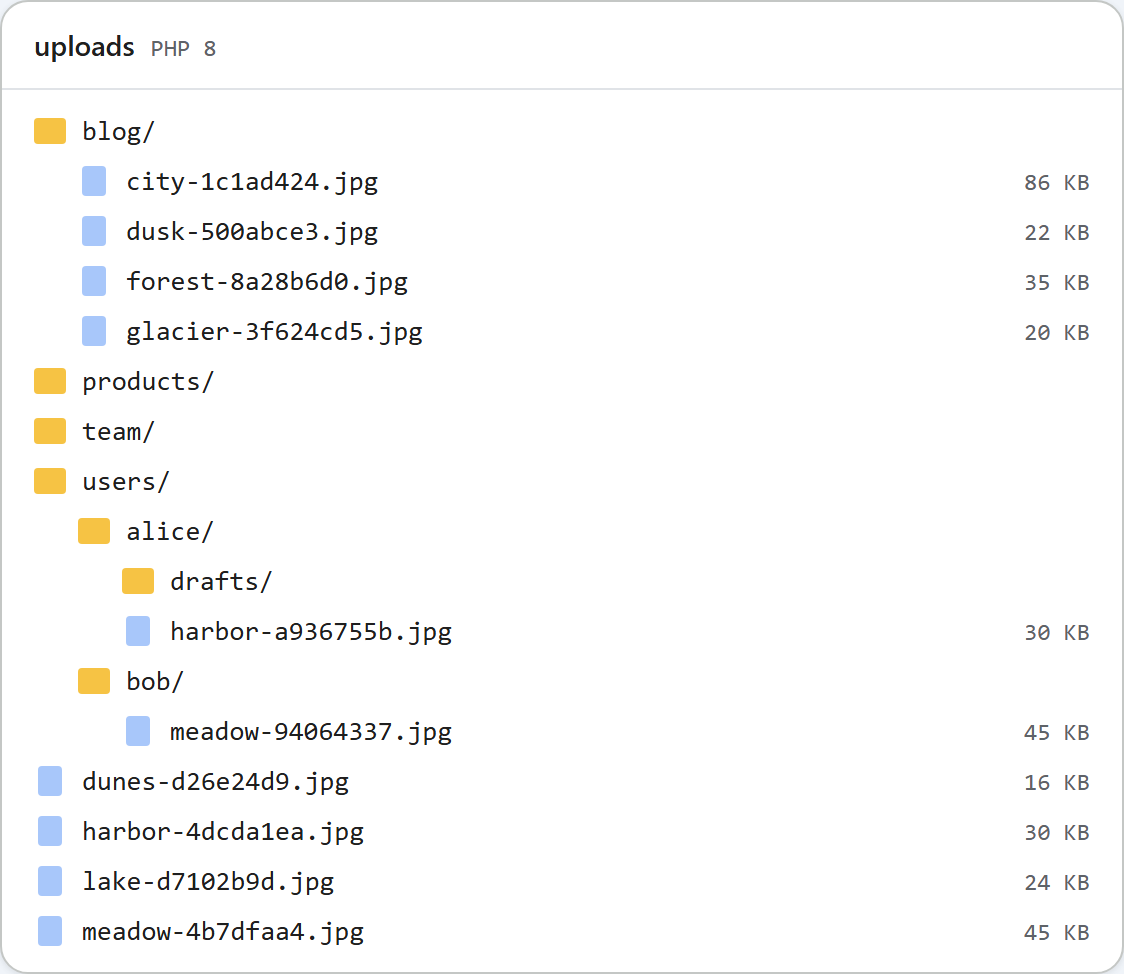
uploads/ 文件夹的样子。创建文件夹失败时,对话框目前对所有错误都显示 "The folder could not be created right now."(暂时无法创建文件夹),包括名称已被占用时的 409。服务器给出的确切原因在响应体中,可以在浏览器的开发者工具中查看。
测试
在端口 5201 上运行本指南的示例项目,然后执行:
curl -F action=create-folder -F folder=blog -F name=2026 http://localhost:5201/rte/gallery
{"currentFolder":"blog","currentFolderDisplay":"/blog","parentFolder":"","folders":[{"folder":"blog/2026","name":"2026"}],...}

curl -F action=create-folder -F folder=blog -F name=2026 http://localhost:5201/rte/gallery
{"error":"A folder or file with that name already exists."}

curl "http://localhost:5201/rte/gallery?folder=../.."
{"error":"Invalid folder."}
响应依次为 200、409 和 400。然后打开 Insert Gallery,点击 blog,就能看到新的 2026 文件夹。点击 Up 可返回根目录。
其他平台的同一指南
JavaScript · ASP.NET Core · MVC 5 · Web Forms