Gallery folders in PHP: browse and create safely
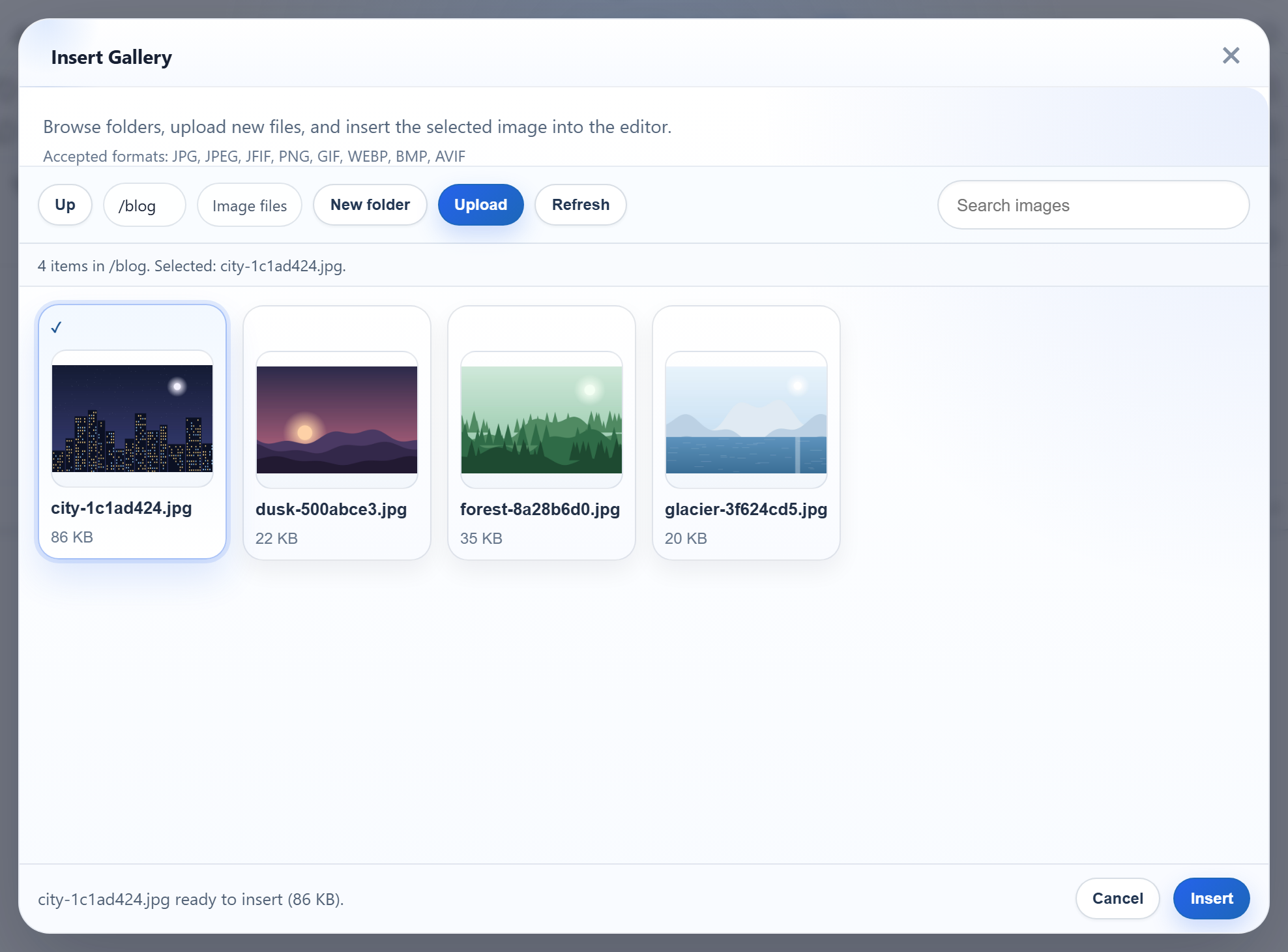
Once a site has a few hundred images, one flat folder is hard to use. The gallery dialog can browse subfolders, go back up, and create a new folder with its New folder button. This page shows the PHP side: how the dialog's virtual folder names map to directories under uploads/, and how to keep a folder name from the request from reaching anywhere else on the disk.
Virtual folders, not disk paths
The dialog only ever sends virtual paths: "" for the root, blog, products/2026. They always use /, also on Windows, and the server never uses them as paths directly. Each part must be a valid folder name:
// Folder name rules: 1-64 chars, letters/digits/space/-/_/., not starting with ".".
// Also refused, because Windows silently rewrites or reserves them:
// a trailing dot or space, and device names like CON or NUL.
function rte_is_valid_name(string $name): bool
{
    return preg_match('/\A[A-Za-z0-9 _\-][A-Za-z0-9 _.\-]{0,63}\z/', $name) === 1
        && preg_match('/[. ]\z/', $name) !== 1
        && preg_match('/\A(CON|PRN|AUX|NUL|COM[0-9]|LPT[0-9])(\..*)?\z/i', $name) !== 1;
}
The last two rules are there because of Windows. Windows quietly turns abc. into abc and reserves device names like CON and NUL. Refusing those names on every system means a folder tree behaves the same after you move it from a Windows laptop to a Linux server. Both names get a 400 from the sample.
Resolving a folder safely
Every route goes through the same two steps. First the virtual path is split on / and every part is checked against the name rule. That alone refuses .., /etc, C:\Windows, a\b, empty parts and %2e%2e: PHP has decoded the query string once, the % is still there, and % is not an allowed character. Then the folder is resolved on disk and checked again:
// A virtual folder ("", "products", "products/2026") must be a plain list of valid names.
// That alone refuses "..", "/x", "C:\x", "a\b", "a//b", NUL and "%2e%2e" ("%" is not allowed).
function rte_parse_folder(mixed $folder): array
{
    if ($folder === null || $folder === '') {
        return [];
    }
    if (!is_string($folder) || strlen($folder) > 512) {   // ?folder[]=x arrives as an array
        throw new RteHttpError(400, 'Invalid folder.');
    }
    $segments = explode('/', $folder);
    foreach ($segments as $segment) {
        if (!rte_is_valid_name($segment)) {
            throw new RteHttpError(400, 'Invalid folder.');
        }
    }
    return $segments;
}

// Resolves a virtual folder to an existing directory inside the root.
function rte_resolve_folder(mixed $folder): array
{
    $segments = rte_parse_folder($folder);
    if (rte_is_reserved($segments)) {
        throw new RteHttpError(404, 'Folder not found.');
    }
    $root = rte_root();
    $path = $root['dir'];
    foreach ($segments as $segment) {
        $path .= DIRECTORY_SEPARATOR . $segment;
    }
    // realpath() is false for a path that does not exist, and it follows symlinks and
    // Windows junctions, so the check below sees where the folder really is.
    $real = realpath($path);
    if ($real === false || !is_dir($real)) {
        throw new RteHttpError(404, 'Folder not found.');
    }
    if (!rte_is_inside($real, $root['dir'])) {
        throw new RteHttpError(400, 'Invalid folder.');
    }
    return ['virtual' => implode('/', $segments), 'segments' => $segments, 'dir' => $real, 'root' => $root];
}

function rte_is_inside(string $path, string $root): bool
{
    if (DIRECTORY_SEPARATOR === '\\') { // Windows paths are case-insensitive
        $path = strtolower($path);
        $root = strtolower($root);
    }
    return $path === $root || str_starts_with($path, rtrim($root, DIRECTORY_SEPARATOR) . DIRECTORY_SEPARATOR);
}
Two facts about realpath() shape this code:
- It returns
falsefor a path that does not exist yet. So you cannot use it to check a folder you are about to create. The sample resolves the existing parent, checks that, and then appends a name that has already passed the name rule. - It follows symlinks and Windows junctions. We put a junction called
escapeinsideuploads/that pointed at another folder of the project.realpath()returned the target, the containment check refused it, and?folder=escapegot a 400. On that same machine, PHP 8.2'sis_link()returnedfalsefor the junction, sois_link()alone would not have caught it.
On Windows the containment check compares paths without regard to case, because products and Products are the same folder there.
Creating a folder
The New folder button posts action=create-folder, the parent folder and the new name to the same /rte/gallery URL. The answer is the parent's listing, so the new folder appears straight away:
if (($_POST['action'] ?? '') !== 'create-folder') {
    throw new RteHttpError(400, 'Unknown action.');
}
$name = $_POST['name'] ?? '';
if (!is_string($name) || !rte_is_valid_name($name)) {
    throw new RteHttpError(400, 'Folder names use 1-64 letters, digits, spaces, "-", "_" or ".", '
        . 'cannot start with "." or end with "." or a space, and cannot be a device name such as CON or NUL.');
}
$parent = rte_resolve_folder($_POST['folder'] ?? '');
if (rte_is_reserved([...$parent['segments'], $name])) {
    throw new RteHttpError(400, '"users" is reserved for per-user folders.');
}
$path = $parent['dir'] . DIRECTORY_SEPARATOR . $name;
// file_exists() first for a clear 409; mkdir() failing covers two requests racing.
if (file_exists($path) || !@mkdir($path, 0755)) {
    if (file_exists($path)) {
        throw new RteHttpError(409, 'A folder or file with that name already exists.');
    }
    throw new RteHttpError(500, 'The folder could not be created.');
}
return rte_listing($parent); // the parent's listing, so the new folder shows
file_exists() gives the clear 409 for a name that is taken. If two requests race, mkdir() fails for the second one, and that is answered too. On Windows, creating Products next to an existing products also returned 409, because the file system treats them as the same name.
The users check belongs to the per-user folders option. In shared mode the sample keeps uploads/users/ hidden and refuses to create it, so people's own folders never show up in the shared gallery.
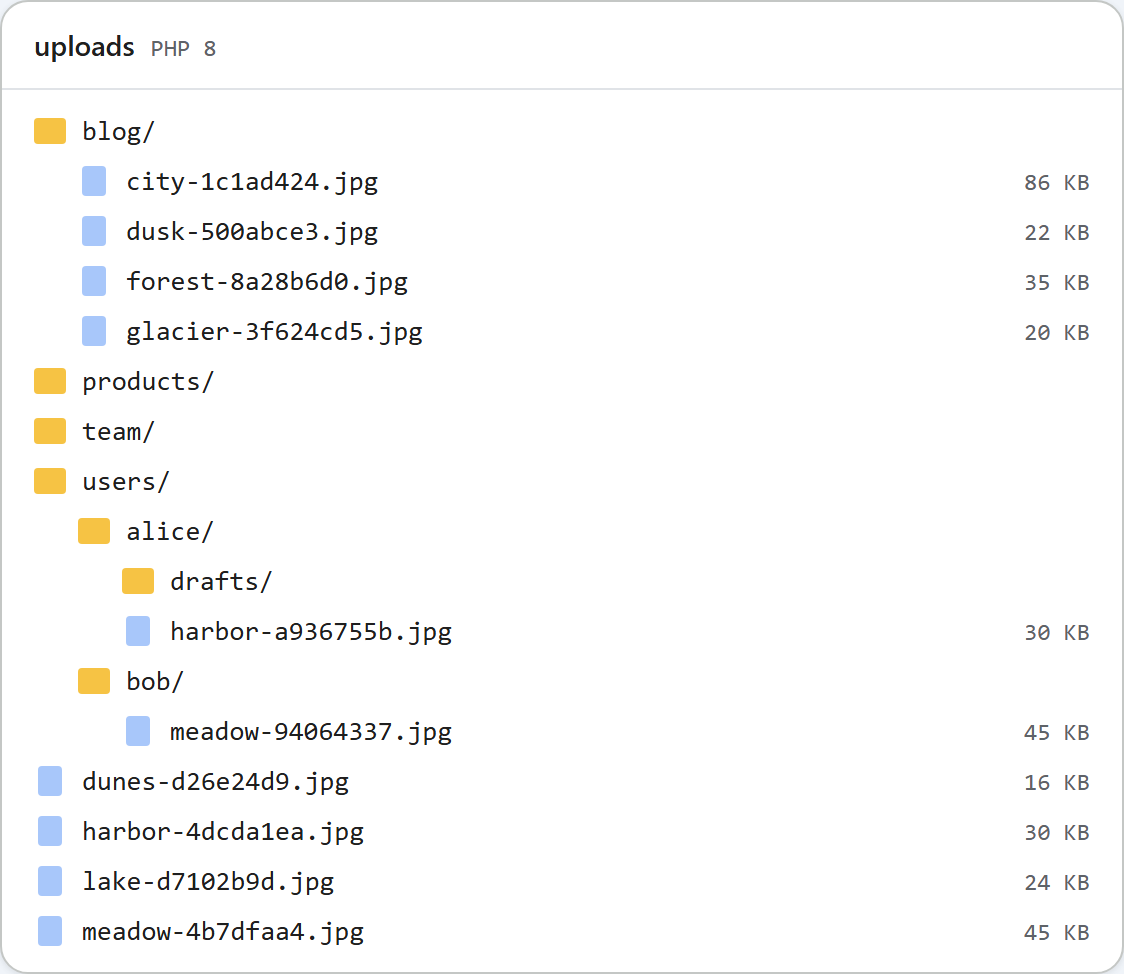
uploads/ folder looked like after the pictures for these guides were taken.When creating a folder fails, the dialog currently shows "The folder could not be created right now." for every error, including a 409 for a name that is taken. The server's exact reason is in the response body, which you can see in the browser's developer tools.
Test it
With the sample project for this guide running on port 5201:
curl -F action=create-folder -F folder=blog -F name=2026 http://localhost:5201/rte/gallery
{"currentFolder":"blog","currentFolderDisplay":"/blog","parentFolder":"","folders":[{"folder":"blog/2026","name":"2026"}],...}

curl -F action=create-folder -F folder=blog -F name=2026 http://localhost:5201/rte/gallery
{"error":"A folder or file with that name already exists."}

curl "http://localhost:5201/rte/gallery?folder=../.."
{"error":"Invalid folder."}
The answers are 200, 409 and 400. Then open Insert Gallery, click blog, and the new 2026 folder is there. Up takes you back to the root.
The same guide for other platforms
JavaScript · ASP.NET Core · MVC 5 · Web Forms