Gallery folders in Node.js: browse and create safely
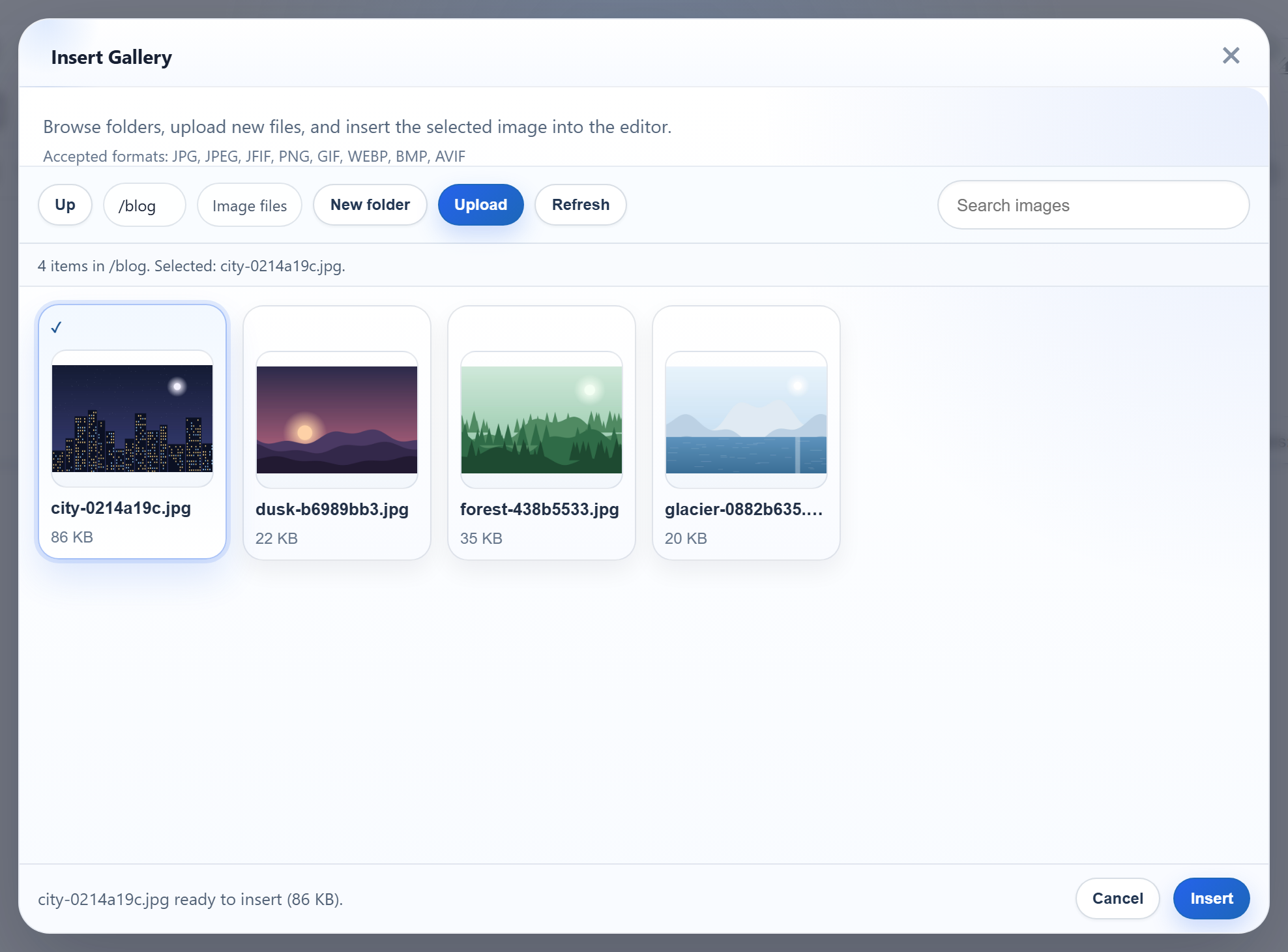
Once the gallery has more than a few dozen images, people want folders: one for the blog, one for products. RichTextEditor's dialog can browse folders and create new ones, but every folder name it sends is user input that ends up in a file path. This page shows how the Express sample turns those names into paths under uploads/ and refuses everything else.
Virtual folders, not disk paths
The dialog only ever sends virtual folders: "" for the root, blog, blog/2026. They always use /, whatever the server's operating system. The server decides where they live on disk. In the sample, blog/2026 is uploads/blog/2026, and in per-user mode it is uploads/users/alice/blog/2026. The browser never learns either path.
Opening a folder sends GET /rte/gallery?folder=blog. The New folder button asks for a name and posts action=create-folder, the parent folder and the new name to the same URL. Uploads post the open folder with the file.
One rule for every part of the path
A folder name may have 1 to 64 letters, digits, spaces, -, _ and ., and may not start with a dot. The sample adds two Windows rules: no trailing dot or space, because Windows drops them and photos. would quietly become photos, and no device names such as CON or NUL.
// Allowed extensions, each with a check of the file's first bytes (its signature).
const SIGNATURES = {
  ".jpg": (b) => hex(b, 0, 3) === "ffd8ff",
  ".jpeg": (b) => hex(b, 0, 3) === "ffd8ff",
  ".png": (b) => hex(b, 0, 8) === "89504e470d0a1a0a",
  ".gif": (b) => ascii(b, 0, 6) === "GIF87a" || ascii(b, 0, 6) === "GIF89a",
  ".webp": (b) => ascii(b, 0, 4) === "RIFF" && ascii(b, 8, 12) === "WEBP",
};
const hex = (bytes, start, end) => bytes.subarray(start, end).toString("hex");
const ascii = (bytes, start, end) => bytes.subarray(start, end).toString("latin1");

// True for "chair.jpg", false for ".chair.jpg", "chair.svg" or "chair".
export function isImageName(name) {
  return !name.startsWith(".") && Object.hasOwn(SIGNATURES, extensionOf(name));
}

export class GalleryError extends Error {
  constructor(status, message) {
    super(message);
    this.status = status;
  }
}

// A folder or file name: 1-64 letters, digits, space, - _ . and not starting with a dot.
// Also refused: a trailing dot or space (Windows drops them, so "a." would become "a")
// and Windows device names such as CON or NUL.
export function isValidName(name) {
  return (
    typeof name === "string" &&
    /^[A-Za-z0-9 _.-]{1,64}$/.test(name) &&
    !name.startsWith(".") &&
    !/[. ]$/.test(name) &&
    !/^(con|prn|aux|nul|com[1-9]|lpt[1-9])(\.|$)/i.test(name)
  );
}
resolveFolder() splits the virtual folder on / and applies that rule to every part. That one check already rules out .., ., empty parts (which is what /etc and a//b produce), backslashes, : (so no drive letters), % (so no double-encoded %2e%2e) and NUL. Then it resolves the path and confirms it is still inside the root:
// Turns a virtual folder into a disk path inside root. Every segment must be a valid
// name, which already rules out "..", ".", "", "\", ":", "%" and NUL. Throws 400 if the
// folder is invalid and 404 if it does not exist.
export async function resolveFolder(root, folder) {
  if (folder === undefined || folder === null) folder = "";
  if (typeof folder !== "string" || folder.length > 255) {
    throw new GalleryError(400, "Invalid folder.");
  }
  const segments = folder === "" ? [] : folder.split("/");
  if (!segments.every(isValidName)) {
    throw new GalleryError(400, "Invalid folder.");
  }

  await mkdir(root, { recursive: true });
  const dir = path.resolve(root, ...segments);
  let info;
  try {
    info = await lstat(dir);
  } catch {
    throw new GalleryError(404, "Folder not found.");
  }
  if (!info.isDirectory() || !(await isInside(root, dir))) {
    throw new GalleryError(404, "Folder not found.");
  }
  return dir;
}

// True when target (after following any links) is root or a folder below it.
async function isInside(root, target) {
  const realRoot = await realpath(root);
  const relative = path.relative(realRoot, await realpath(target));
  return relative === "" || (!relative.startsWith("..") && !path.isAbsolute(relative));
}
Invalid input gets a 400, a valid name that does not exist gets a 404. The last step compares realpath() results rather than strings, because of links. We put a Windows junction called linked into uploads/, pointing at a folder elsewhere on the disk. ?folder=linked and ?folder=linked/sub both got a 404, and the root listing did not show it.
express.static is a different story: it follows links. Before we added a check, /uploads/linked/lake.jpg served the file from the other folder with a 200. The gallery API cannot create links, so only someone with access to the disk can do this. Still, the sample now runs isServableUpload() in front of express.static, with the same realpath() test. After that change, the same URL answered 404:
// For GET /uploads/<path>: an image name, and a real path inside UPLOADS_DIR. express.static
// alone follows a symbolic link or junction in uploads/ to the files it points at.
export async function isServableUpload(urlPath) {
  let relative;
  try {
    relative = decodeURIComponent(urlPath);
  } catch {
    return false;
  }
  if (!isImageName(path.posix.basename(relative)) || relative.includes("\\") || relative.includes("\0")) return false;
  return isInside(UPLOADS_DIR, path.join(UPLOADS_DIR, relative)).catch(() => false);
}
Creating a folder
The route reads the three fields that multer parsed and calls createFolder(). A non-multipart POST leaves req.body undefined in Express 5 (we saw the same on Express 4.22), so the route reads req.body ?? {}:
// Every /rte request gets its storage root first, before multer reads the body.
app.use("/rte", (req, res, next) => {
  req.storageRoot = rootFor(req);
  next();
});

// GET /rte/gallery?folder=products  -> listing
app.get("/rte/gallery", async (req, res) => {
  res.json(await listFolder(req.storageRoot, req.query.folder ?? ""));
});

// POST /rte/gallery  action=create-folder, folder, name  -> listing of the parent folder
app.post("/rte/gallery", parseForm.none(), async (req, res) => {
  const { action, folder, name } = req.body ?? {};
  if (action !== "create-folder") throw new GalleryError(400, "Unknown action.");
  res.json(await createFolder(req.storageRoot, folder ?? "", name));
});

// POST /rte/upload  file, folder  -> { url }
app.post("/rte/upload", parseForm.single("file"), async (req, res) => {
  if (!req.file) throw new GalleryError(400, "No file was uploaded.");
  const url = await saveImage(req.storageRoot, req.body.folder ?? "", req.file.originalname, req.file.buffer);
  res.json({ url });
});// Creates <parent>/<name> and returns the listing of the parent.
export async function createFolder(root, parent, name) {
if (!isValidName(name)) {
throw new GalleryError(400, "Folder names use 1-64 letters, digits, spaces, - _ and . and cannot start or end with a dot.");
}
if (isUsersFolder(root, parent)) throw new GalleryError(404, "Folder not found.");
if (!parent && isUsersFolder(root, name)) throw new GalleryError(400, "The folder name users is reserved.");
const dir = await resolveFolder(root, parent);
try {
await mkdir(path.join(dir, name));
} catch (error) {
if (error.code === "EEXIST") throw new GalleryError(409, "A folder with that name already exists.");
throw error;
}
return listFolder(root, parent || "");
}mkdir() without recursive fails with EEXIST when the folder is already there, and that becomes a 409. The answer on success is the listing of the parent folder, so the dialog shows the new folder at once without a second request. In shared mode the name users is reserved at the root. That is where per-user folders live.
Folders that start with a dot
The listing hides anything that starts with a dot, and the name rule refuses to open one. The images are served by express.static, which has its own rule, and it changed between versions. We put uploads/.secret/a.txt on disk and requested it with no dotfiles option. Express 4.22 (serve-static 1.16) served it with a 200. Express 5.3 (serve-static 2.2) answered 404. Both refused /.env itself. The sample sets dotfiles: "ignore" explicitly, so the behaviour does not depend on the version you run.
Test it
Start the sample project for this guide with npm start and try a few names:
curl -F action=create-folder -F folder=blog -F name=2026 http://localhost:5101/rte/gallery
{"currentFolder":"blog","currentFolderDisplay":"/blog","parentFolder":"","folders":[{"folder":"blog/2026","name":"2026"}],...}

curl -F action=create-folder -F folder=blog -F name=2026 http://localhost:5101/rte/gallery
{"error":"A folder with that name already exists."}

curl -F action=create-folder -F folder= -F name=.hidden http://localhost:5101/rte/gallery
{"error":"Folder names use 1-64 letters, digits, spaces, - _ and . and cannot start or end with a dot."}

curl "http://localhost:5101/rte/gallery?folder=a/../../x"
{"error":"Invalid folder."}
The status codes are 200, 409, 400 and 400. In the browser, click Insert Gallery, then New folder, and the new folder appears among the others. Open it and Upload puts the file into that folder.
The same guide for other platforms
PHP · ASP.NET Core · MVC 5 · Web Forms