Add an image gallery to a rich text editor in Node.js
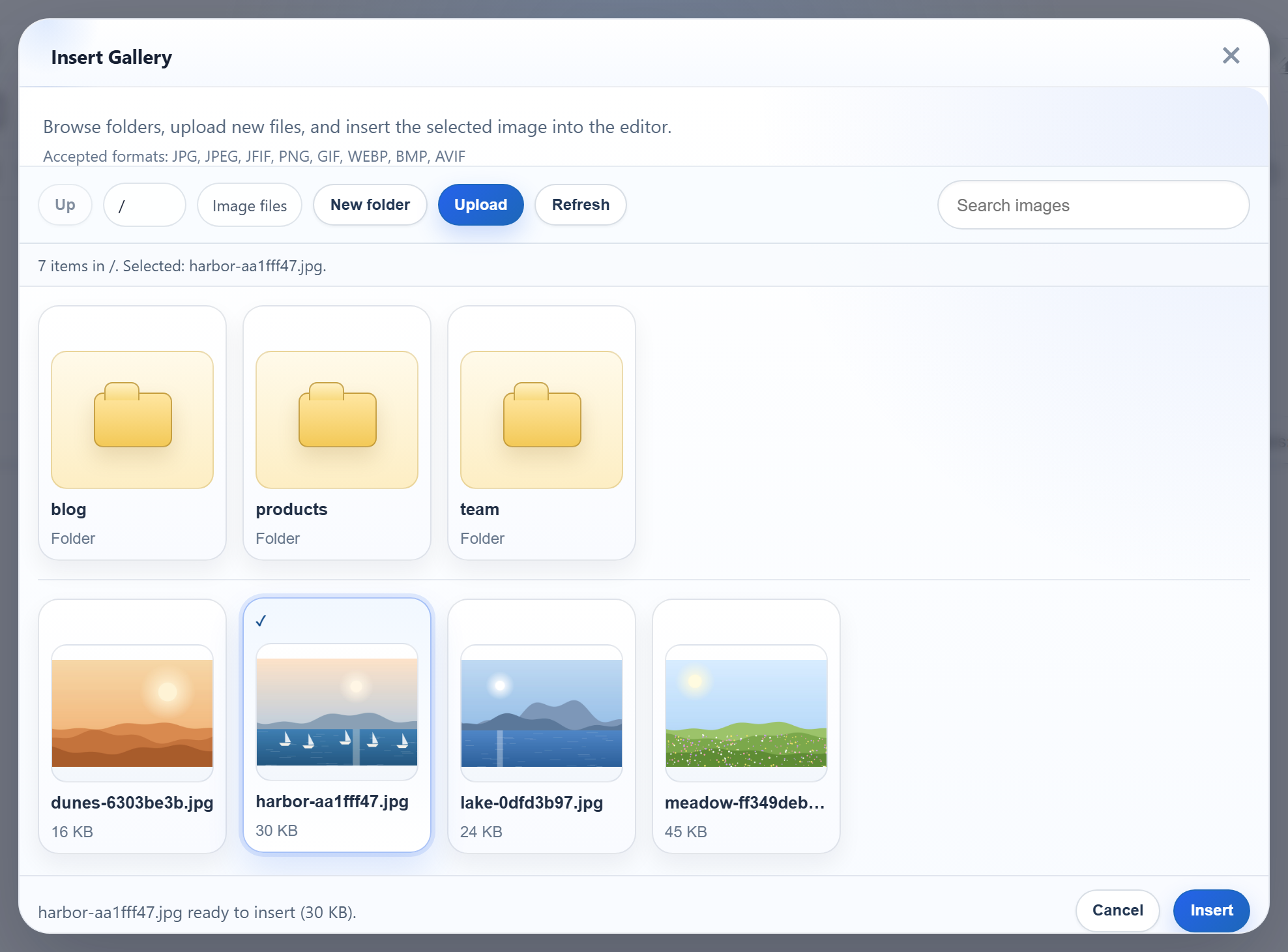
RichTextEditor's Insert Gallery dialog can show the images that are already on your server, so people pick an existing picture instead of uploading it again. The dialog needs one URL that answers with a folder listing in JSON. This page builds that endpoint in Express 5 with nothing but node:fs, and wires the dialog to it.
Point the dialog at the server
One editor option switches the gallery from its built-in sample pictures to your server:
<div id="editor"><p>Hello from Express.</p></div>
<script>
  var editor = new RichTextEditor("#editor", {
    toolbar: "full",
    galleryEndpoint: "/rte/gallery",
    maxUploadFileSize: 4000000
  });
</script>
With galleryEndpoint set, the dialog sends GET /rte/gallery?folder= when it opens, and again with ?folder=blog when someone opens a folder. The dialog's Upload button needs rte-files.js from the upload guide. Without it, the dialog can only browse.
What the endpoint returns
The listing names the current folder, its parent, the subfolders and the images. Each image has a URL the editor can insert, a display name, its folder and its size in bytes. This is a real answer from the sample:
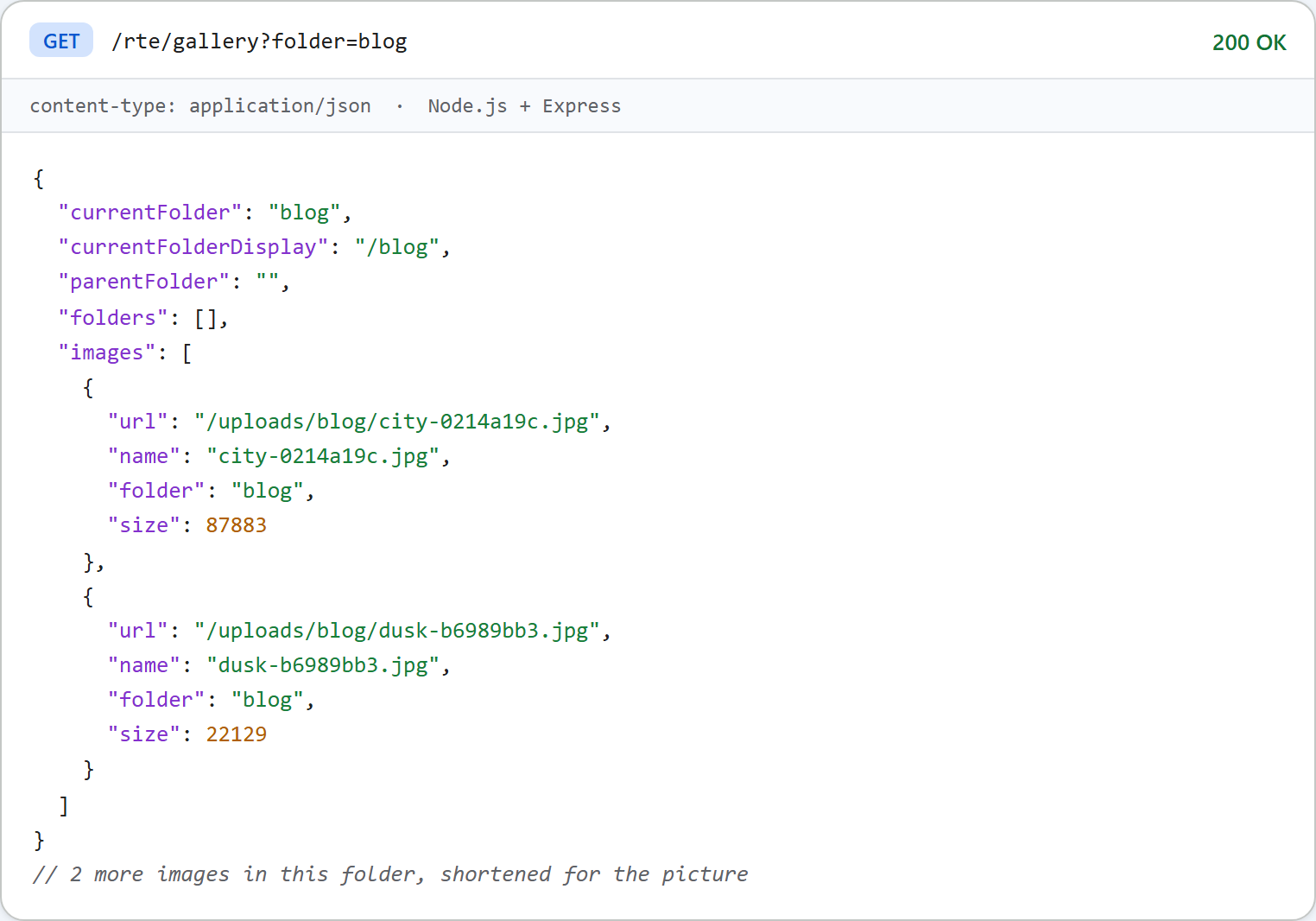
parentFolder is null at the root. That is how the dialog knows to disable its Up button. Folders are virtual paths with / separators, like blog/2026, never disk paths.
The route and the listing
The Express route is one line. Express 5 passes errors from the async handler on to the error middleware:
// Every /rte request gets its storage root first, before multer reads the body.
app.use("/rte", (req, res, next) => {
  req.storageRoot = rootFor(req);
  next();
});

// GET /rte/gallery?folder=products  -> listing
app.get("/rte/gallery", async (req, res) => {
  res.json(await listFolder(req.storageRoot, req.query.folder ?? ""));
});

// POST /rte/gallery  action=create-folder, folder, name  -> listing of the parent folder
app.post("/rte/gallery", parseForm.none(), async (req, res) => {
  const { action, folder, name } = req.body ?? {};
  if (action !== "create-folder") throw new GalleryError(400, "Unknown action.");
  res.json(await createFolder(req.storageRoot, folder ?? "", name));
});

// POST /rte/upload  file, folder  -> { url }
app.post("/rte/upload", parseForm.single("file"), async (req, res) => {
  if (!req.file) throw new GalleryError(400, "No file was uploaded.");
  const url = await saveImage(req.storageRoot, req.body.folder ?? "", req.file.originalname, req.file.buffer);
  res.json({ url });
});
listFolder() in gallery.mjs reads the folder with readdir(dir, { withFileTypes: true }) and builds the JSON:
// The JSON the gallery dialog reads (see CONTRACT.md).
export async function listFolder(root, folder = "") {
  if (isUsersFolder(root, folder)) throw new GalleryError(404, "Folder not found.");
  const dir = await resolveFolder(root, folder);
  const entries = await readdir(dir, { withFileTypes: true });
  const join = (name) => (folder ? folder + "/" + name : name);

  const folders = entries
    .filter((entry) => entry.isDirectory() && isValidName(entry.name) && !isUsersFolder(root, join(entry.name)))
    .map((entry) => ({ folder: join(entry.name), name: entry.name }));

  const images = [];
  for (const entry of entries) {
    if (!entry.isFile() || !isImageName(entry.name)) continue;
    const file = path.join(dir, entry.name);
    const { size } = await lstat(file);
    images.push({ url: publicUrl(file), name: entry.name, folder, size });
  }

  return {
    currentFolder: folder,
    currentFolderDisplay: "/" + folder,
    parentFolder: folder === "" ? null : folder.split("/").slice(0, -1).join("/"),
    folders: folders.sort(byName),
    images: images.sort(byName),
  };
}

// Plain lower-case comparison, so every server sample sorts the same way.
function byName(a, b) {
  const x = a.name.toLowerCase();
  const y = b.name.toLowerCase();
  return x < y ? -1 : x > y ? 1 : 0;
}
A few choices in it matter:
- Only files with an image extension are listed, and nothing that starts with a dot.
- Only folders with a valid name are listed, so every folder the dialog shows can also be opened.
- Sorting is a plain lower-case comparison rather than
localeCompare. The order is the same on every machine and in every language the samples are written in. - URLs are built from the path below
uploads/, with each part passed throughencodeURIComponent. A folder calledMy Photosgives/uploads/My%20Photos/....
Before any of this, resolveFolder() turns ?folder= into a disk path and refuses anything that would leave uploads/. Gallery folders in Node.js walks through that check.
A query string can be an array
Express parses ?folder=a&folder=b into ["a", "b"]. That is true in both Express 4 and Express 5. What changed in 5 is nested syntax: ?a[b]=1 gave { a: { b: "1" } } on Express 4.22 and { "a[b]": "1" } on Express 5.3 in our test, because Express 5 uses the simple query parser by default. Either way, req.query.folder is not always a string. resolveFolder() refuses anything that is not a string with a 400, so an array never reaches path.resolve.
What the dialog shows, and what it doesn't
The picture at the top is the dialog on this server: three folders and four images at the root, one selected. Two limitations are worth knowing:
- The released gallery's hint lists "JPG, JPEG, JFIF, PNG, GIF, WEBP, BMP, AVIF" as accepted formats. This server accepts only .jpg, .jpeg, .png, .gif and .webp. A .bmp file picked in the dialog is sent, refused with a 400, and the dialog reports "Upload failed for <name>."
- The thumbnails are the full images, loaded from
/uploads/. A folder with many large photos loads all of them. The sample does not make smaller copies.
Test it
Start the sample project for this guide with npm install and npm start, upload a picture into a folder, then ask for the listing:
curl -F "file=@photo.jpg" -F "folder=blog" http://localhost:5101/rte/upload
{"url":"/uploads/blog/photo-ce99c014.jpg"}

curl "http://localhost:5101/rte/gallery?folder=blog"
{"currentFolder":"blog","currentFolderDisplay":"/blog","parentFolder":"","folders":[],"images":[...]}

curl "http://localhost:5101/rte/gallery?folder=../"
{"error":"Invalid folder."}
The last answer is a 400. Then open http://localhost:5101, click Insert Gallery in the toolbar and open the blog folder. The picture you uploaded is in the list.
The same guide for other platforms
Next.js · PHP · ASP.NET Core · Razor Pages · Blazor · MVC 5 · Web Forms