Add an image gallery to a rich text editor in Web Forms

RichTextEditor's Insert Gallery dialog can list the images on your server, open folders and upload into the folder that is open. It needs one endpoint that answers with JSON. On ASP.NET Web Forms that endpoint is an IHttpHandler in App_Code. This page covers the handler, the JSON it writes with the serializer .NET Framework already has, and two IIS behaviours that break the gallery for remote visitors or for .webp files while it looks fine on your machine.
Turn the gallery on
The galleryEndpoint option points the dialog at the server. maxUploadFileSize uses the same limit as the server, so the dialog can refuse an oversized file before sending it:
<script>
    var editor = new RichTextEditor("#editor", {
        toolbar: "full",
        galleryEndpoint: "<%= ResolveUrl("~/rte/gallery") %>",
        maxUploadFileSize: 4000000   // same limit as the server
    });
</script>
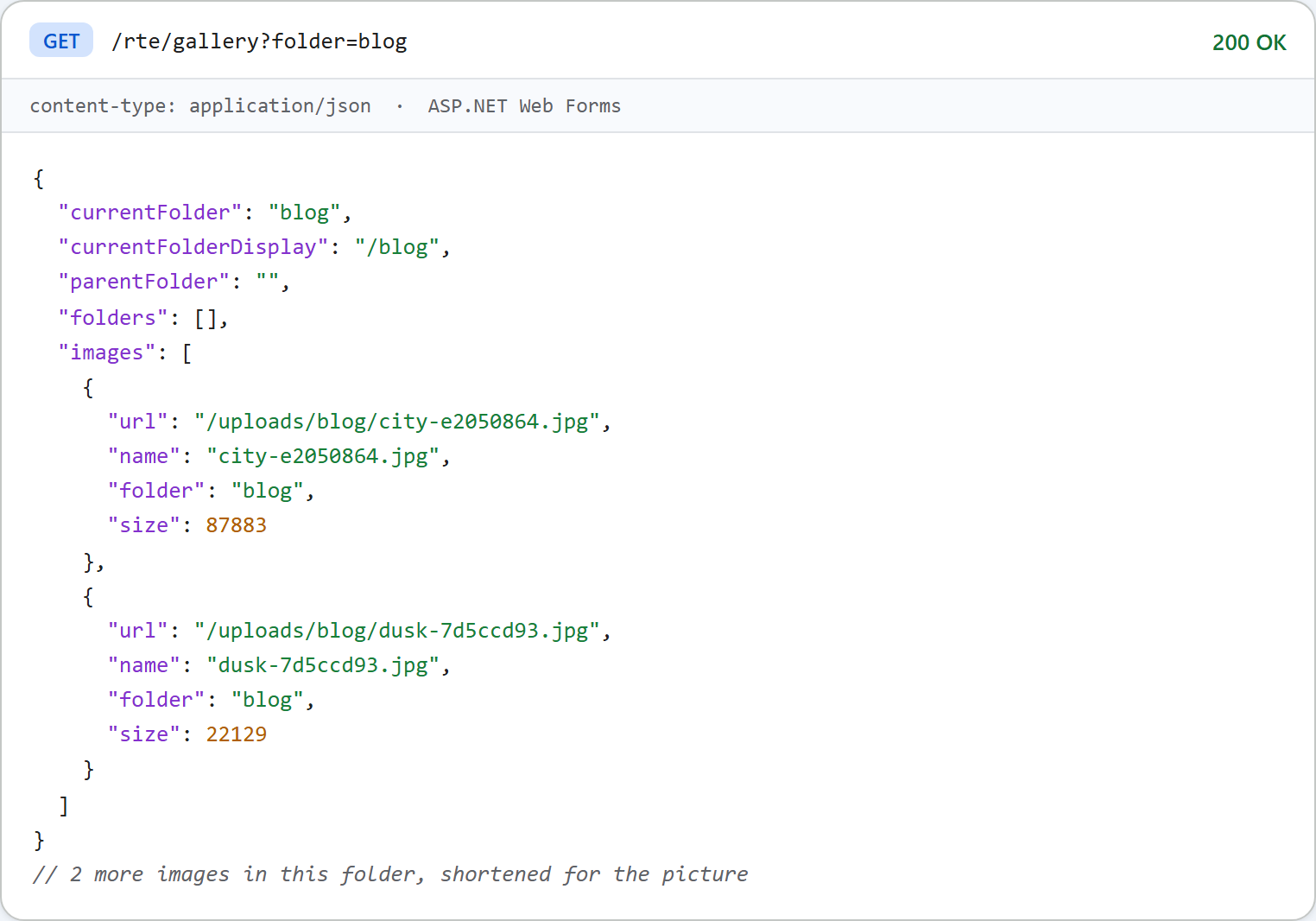
The dialog sends GET /rte/gallery?folder=blog and expects the folder's subfolders and images. The path is mapped to the handler in web.config, the same way as the upload route in image upload in Web Forms.
The handler
public void ProcessRequest(HttpContext context)
{
    try
    {
        // Request.Unvalidated: a value such as "<b" would otherwise make ASP.NET request
        // validation throw (HTTP 500) before our own rules can answer with a 400.
        if (context.Request.HttpMethod == "GET")
        {
            string folder = context.Request.Unvalidated.QueryString["folder"];
            RteFiles.WriteJson(context, 200, RteFiles.Listing(context, folder));
        }
        else if (context.Request.HttpMethod == "POST")
        {
            string action = context.Request.Unvalidated.Form["action"];
            string folder = context.Request.Unvalidated.Form["folder"] ?? "";
            if (action != "create-folder")
                throw new RteException(400, "Unknown action.");
            RteFiles.CreateFolder(context, folder, context.Request.Unvalidated.Form["name"]);
            RteFiles.WriteJson(context, 200, RteFiles.Listing(context, folder));
        }
        else
        {
            context.Response.AppendHeader("Allow", "GET, POST");
            throw new RteException(405, "Use GET or POST.");
        }
    }
    catch (RteException ex)
    {
        RteFiles.WriteError(context, ex.Status, ex.Message);
    }
}
It reads Request.Unvalidated.QueryString, not Request.QueryString. ASP.NET request validation applies to generic handlers too. With folder=<b>, the validated collection threw "A potentially dangerous Request.QueryString value was detected" and the dialog got an HTML 500. The unvalidated read lets the handler's own folder rules answer with 400 {"error":"Invalid folder."}.
The listing
public static object Listing(HttpContext context, string folder)
{
    folder = folder ?? "";
    StorageRoot root = GetRoot(context);
    string dir = ResolveFolder(root, folder);

    List<string> folderNames = new List<string>();
    foreach (string path in Directory.GetDirectories(dir))
    {
        string name = Path.GetFileName(path);
        // Skip anything the dialog could not open again (hidden, odd names).
        if (IsValidName(name) && (File.GetAttributes(path) & FileAttributes.Hidden) == 0)
            folderNames.Add(name);
    }
    folderNames.Sort(CompareNames);

    List<FileInfo> files = new List<FileInfo>();
    foreach (FileInfo file in new DirectoryInfo(dir).GetFiles())
    {
        if (Array.IndexOf(ImageExtensions, file.Extension.ToLowerInvariant()) >= 0
            && (file.Attributes & FileAttributes.Hidden) == 0)
            files.Add(file);
    }
    files.Sort(delegate (FileInfo a, FileInfo b) { return CompareNames(a.Name, b.Name); });

    List<object> folders = new List<object>();
    foreach (string name in folderNames)
        folders.Add(new { folder = Combine(folder, name), name = name });

    List<object> images = new List<object>();
    foreach (FileInfo file in files)
        images.Add(new { url = UrlFor(root, folder, file.Name), name = file.Name, folder = folder, size = file.Length });

    string parent = null;
    if (folder.Length > 0)
    {
        int slash = folder.LastIndexOf('/');
        parent = slash < 0 ? "" : folder.Substring(0, slash);
    }

    return new
    {
        currentFolder = folder,
        currentFolderDisplay = "/" + folder,
        parentFolder = parent,
        folders = folders,
        images = images
    };
}
Only .jpg, .jpeg, .png, .gif and .webp files are listed, and folders and images are sorted by name. The sort lowercases both names and then compares them ordinally, because that is the order JavaScript's toLowerCase() comparison gives. StringComparer.OrdinalIgnoreCase uppercases instead, which puts _ after the letters rather than before them.
JSON without a NuGet package
public static void WriteJson(HttpContext context, int status, object value)
{
    HttpResponse response = context.Response;
    response.Clear();
    response.StatusCode = status;
    // Without this, IIS replaces 4xx/5xx bodies with its own error page when
    // <httpErrors errorMode="Custom"> is in effect (the default for remote users).
    response.TrySkipIisCustomErrors = true;
    // FormsAuthenticationModule turns every 401 into a 302 to the login page, which an
    // XMLHttpRequest follows silently and then fails to parse. Keep the 401.
    response.SuppressFormsAuthenticationRedirect = true;
    response.ContentType = "application/json";
    response.Cache.SetCacheability(HttpCacheability.NoCache);
    response.Cache.SetNoStore();
    // JavaScriptSerializer ships with .NET Framework (System.Web.Extensions) and writes
    // property names exactly as declared, so the anonymous objects above are camelCase.
    // Its default MaxJsonLength (2,097,152 chars) would fail a huge folder; lift it.
    JavaScriptSerializer serializer = new JavaScriptSerializer();
    serializer.MaxJsonLength = int.MaxValue;
    response.Write(serializer.Serialize(value));
}JavaScriptSerializerships with .NET Framework in System.Web.Extensions, so App_Code can use it with nobin\folder. It writes property names exactly as declared. The anonymous objects use camelCase names, so the JSON is camelCase without any settings. It writesnullfor the root'sparentFolder, and it escapes'as', which is still valid JSON.MaxJsonLengthdefaults to 2,097,152 characters, and the web.configjsonSerializationsetting does not apply tonew JavaScriptSerializer(). A folder with many thousands of images would throw, so the sample lifts the limit.TrySkipIisCustomErrors. IIS Express defaults toerrorMode="DetailedLocalOnly", so on your own machine a JSON 400 arrives intact either way. We set<httpErrors errorMode="Custom">, which is what remote visitors get. A handler that set status 400 without this flag then had its body replaced by IIS's "Bad Request" HTML page. With the flag, the JSON came through.- No caching. The listing changes after every upload, so the response tells the browser not to store it.
.webp on IIS Express
IIS Express's applicationhost.config has no MIME type for .webp. A .webp upload would be stored and listed, but its URL would answer 404.3, so the thumbnail stays empty. The sample adds the type:
<staticContent>
  <!-- IIS Express (and older IIS) has no MIME type for .webp, so it would answer 404.3. -->
  <remove fileExtension=".webp" />
  <mimeMap fileExtension=".webp" mimeType="image/webp" />
</staticContent>
It uses <remove> before <mimeMap> because a duplicate entry on a server that already knows .webp is a 500.19 configuration error.
Test it
Start the sample project for this guide with run.ps1 (port 5401). Create a folder named team with the dialog's New folder button, then ask for it:
curl "http://localhost:5401/rte/gallery?folder=team"
{"currentFolder":"team","currentFolderDisplay":"/team","parentFolder":"","folders":[],"images":[]}

curl "http://localhost:5401/rte/gallery?folder=..%2F"
{"error":"Invalid folder."}
The first answer is HTTP 200 and the second HTTP 400. A folder that does not exist gives 404. In the browser, click Insert Gallery on the toolbar. The dialog shows the folders and images of uploads/.
The same guide for other platforms
JavaScript · Next.js · PHP · ASP.NET Core · Razor Pages · Blazor · MVC 5