Gap cursor
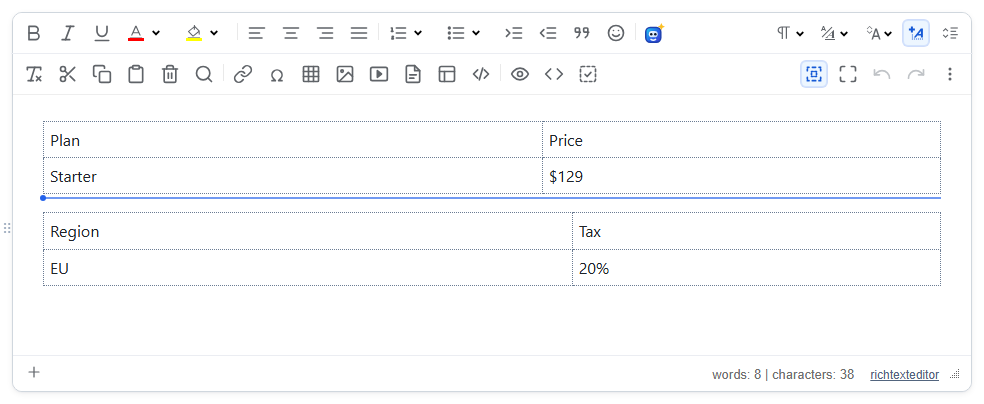
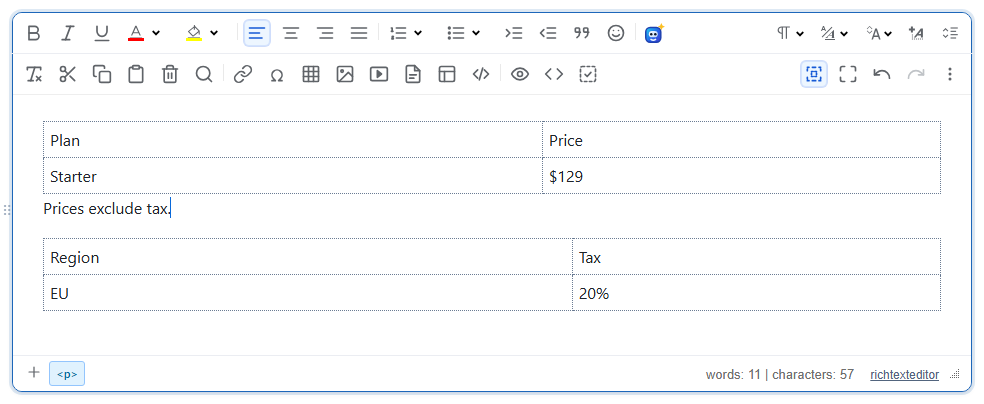
Lets the user add a paragraph where the caret cannot normally go: before a table at the very top of a document, or between two tables, rules or other blocks that sit directly against each other. An arrow key, a click in the gap, or a click on a blue hint line creates the paragraph.
Turn it on
The feature is the gapcursor.js plugin (also in plugins/all_plugins.js). Loading it is enough; there is no toolbar button.
<link rel="stylesheet" href="/richtexteditor/rte_theme_default.css">
<script src="/richtexteditor/rte.js"></script>
<script src="/richtexteditor/plugins/gapcursor.js"></script>

<div id="editor"><table style="width:100%"><tbody><tr><td>Plan</td><td>Price</td></tr><tr><td>Starter</td><td>$129</td></tr></tbody></table><table style="width:100%"><tbody><tr><td>Region</td><td>Tax</td></tr><tr><td>EU</td><td>20%</td></tr></tbody></table></div>
<script>
var editor = new RichTextEditor("#editor");
</script>
Without the plugin, in this document, ArrowUp from the first cell leaves the caret in the cell, and ArrowRight from the end of the first table puts typed text loose between the tables, outside any paragraph.
Which gaps count
A gap is offered only where the author is stuck: before the first block, between two blocks, or after the last block, when the block next to it is one of table, hr, img, figure, iframe, video, audio, object, embed, canvas, svg or pre, and there is no paragraph there already. Only blocks directly in the document body are checked. The editor itself already keeps an empty paragraph after a table at the end of the document, so in practice the gaps are at the top and between blocks.
Using it
- Keyboard. ArrowDown, ArrowRight, End or PageDown at the end of such a block, or ArrowUp, ArrowLeft, Home or PageUp at its start, inserts a paragraph on that side. In a table "the end" means the last row for ArrowDown and the last cell for ArrowRight; inside the table the keys move as usual. Keys with Shift, Ctrl, Alt or Cmd are left alone, so selecting and Alt+Arrow block moves are not affected.
- Click. A click on empty editor space that falls in a gap inserts the paragraph there.
- Hint. Two tables can touch with no pixels between them. Moving the pointer within 10 pixels of such a boundary shows a blue line, and pressing the mouse on it inserts the paragraph.
The new paragraph is <p><br></p>, so it has height and the caret is visible in it.
Options and API
| Option | Default | What it does |
|---|---|---|
gapCursorKeys | true | Arrow, Home, End and Page keys at a block edge insert a paragraph. |
gapCursorClick | true | A click in a gap inserts a paragraph. |
gapCursorHint | true | Show the blue hint line when the pointer is near a gap. |
editor.getGapPositions()returns the child indexes where a paragraph can be inserted, e.g.[0, 1]for the document above.editor.insertParagraphAt(index)inserts an empty paragraph before the body child at that index and puts the caret in it.editor.insertParagraphBefore(element)andeditor.insertParagraphAfter(element)do the same next to a given element.
Things to know
- Nothing is added until the user asks for it, so a document that starts with a table is saved unchanged.
- The hint line is a real element in the editing area while it is shown:
<div class="rte-gap-hint" contenteditable="false" aria-hidden="true"></div>. It is removed when the pointer moves elsewhere in the editor, but in 2.6.12 it stays if the pointer leaves the editor straight from a gap, for example from the gap above a leading table up to the toolbar, andgetHTMLCode()then includes it. If you save from a toolbar button, setgapCursorHint: false, or removediv.rte-gap-hinton the server. - In suggesting (track changes) mode the plugin inserts nothing, because an empty paragraph cannot be tracked yet.
Related: table support demo, table sorting and row numbers.